


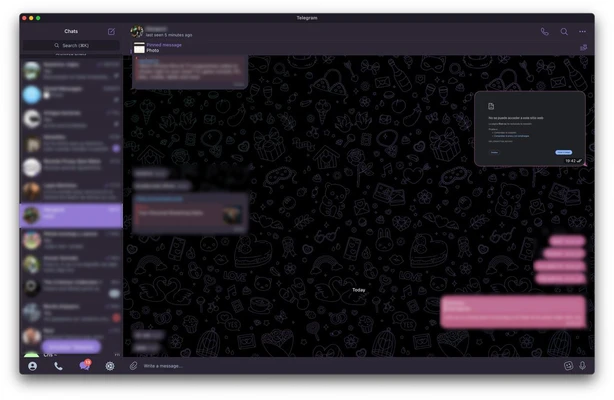
Telegram for Mac is a fast and secure cloud-based messaging application that allows users to send messages, make voice and video calls, and share files across multiple devices.
With support for encrypted communication, secret chats, self-destructing messages, large group conversations, and cloud synchronization, Telegram provides a powerful alternative to traditional messaging apps.
The app is available for macOS and works seamlessly with other platforms including Windows, Linux, Android, iOS, and Web.
Features and Highlights
- Secure cloud-based messaging platform
- End-to-end encryption for private chats and calls
- Secret Chats with self-destructing messages
- Large group chats supporting up to 200,000 members
- Voice and video calling support
- Share large files, documents, videos, and media
- Custom themes, stickers, emojis, and animations
- Multi-device synchronization
- Open API support for developers
- Fast and lightweight performance
How to Use
- Download and install Telegram for Mac.
- Sign in using your phone number.
- Verify your account with the security code.
- Start chatting, making calls, or sharing files.
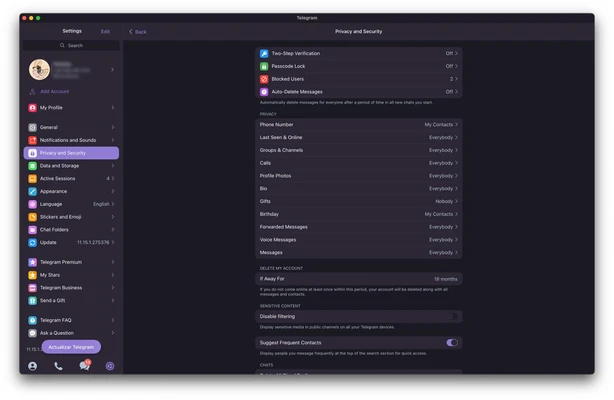
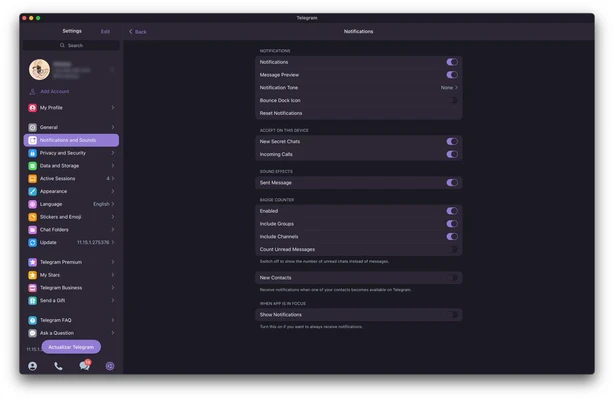
- Customize notifications, themes, and privacy settings.
System Requirements
- Operating System: macOS 10.13 or later
- Processor: 64-bit Intel or Apple Silicon processor
- Storage: About 120 MB free disk space
- Internet connection required
PROS
- Fast and reliable messaging
- Cross-platform synchronization
- Supports large groups and file sharing
- Strong privacy features
- Free and easy to use
CONS
- Not all chats use end-to-end encryption by default
- Requires a phone number for account registration
Conclusion
Telegram for Mac is a feature-rich messaging application that combines speed, security, and cross-platform support.
With powerful chat features, cloud synchronization, and extensive customization options, it is an excellent choice for users who need a modern communication tool on macOS.