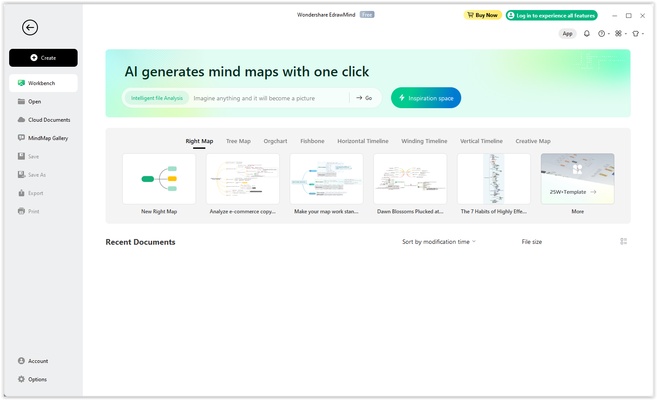
EdrawMind (formerly MindMaster) is a mind mapping and brainstorming software for Windows that helps users organize ideas, create visual diagrams, plan projects, and present information. It supports mind maps, concept maps, timelines, fishbone diagrams, and other visual structures, with templates and collaboration tools for individual and team use.
Key Features
-
Mind Mapping – Create structured mind maps from scratch or use ready-made templates.
-
Multiple Diagram Structures – Supports radial maps, tree maps, fishbone diagrams, timelines, bubble maps, and other layouts.
-
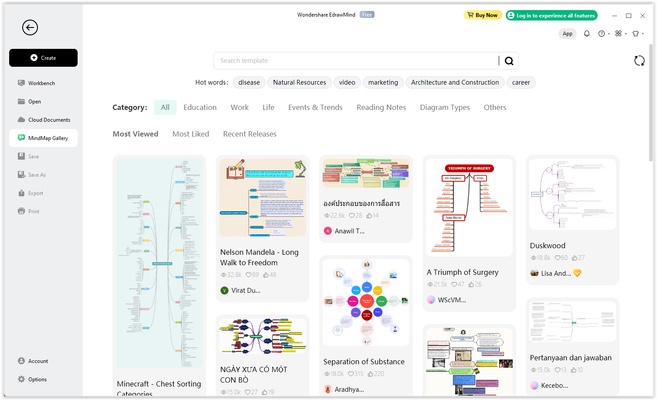
Templates and Themes – Choose from a library of templates, themes, colors, icons, and styling options.
-
Brainstorming Mode – Collect and organize ideas before turning them into structured mind maps.
-
Task Management – Add tasks, deadlines, and progress information to mind maps and manage projects with Gantt views.
-
Presentation Mode – Turn mind maps into structured presentations for meetings, classes, and project reviews.
-
Collaboration – Share mind maps and work with other users on team projects.
-
Cross-Platform Access – Available across desktop, mobile, and web platforms.
-
Import and Export – Export mind maps to formats such as PDF, Word, Excel, PowerPoint, and image files.
-
Customization – Add notes, icons, images, relationships, summaries, hyperlinks, and other visual elements.
-
Template Library – Provides examples and templates for brainstorming, planning, education, business, and other use cases.
User Interface
EdrawMind uses a clean workspace with a central canvas and organized toolbars for creating and editing mind maps. Drag-and-drop controls make it easy to add branches, rearrange ideas, apply styles, and insert additional information.
Installation and Setup
-
Download and install EdrawMind for Windows.
-
Launch the application and sign in or create an account if required.
-
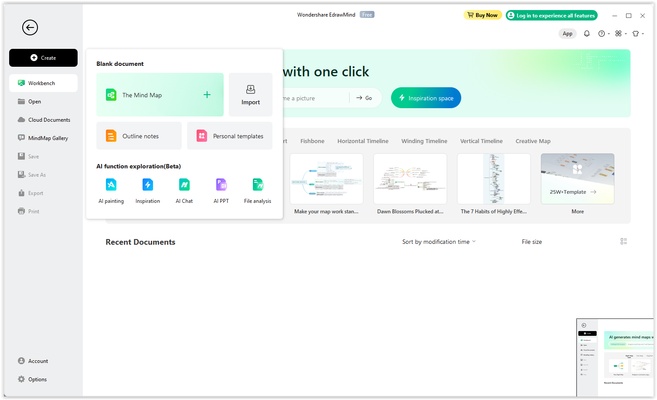
Start with a blank mind map or select a template.
-
Configure your preferred themes, storage, and workspace settings.
-
Begin creating and organizing your ideas.
How to Use
Create a Mind Map – Start with a blank canvas or choose a template.
Add Ideas – Create a central topic and add branches for related ideas and information.
Customize the Map – Apply themes, colors, icons, images, notes, and other visual elements.
Manage Tasks – Add task information, deadlines, and progress indicators when using a mind map for project planning.
Collaborate – Share maps with teammates and work together on projects.
Present Your Ideas – Use Presentation Mode to turn the completed mind map into a structured presentation.
Export Your Work – Save or export mind maps in supported document, presentation, PDF, and image formats.
Pros
-
Easy-to-use mind mapping interface
-
Multiple diagram structures
-
Large template and theme library
-
Brainstorming and presentation tools
-
Collaboration support
-
Task and project management features
-
Cross-platform availability
-
Multiple export formats
Cons
-
Free version has feature limitations
-
Large feature set may take time to learn
-
Some advanced collaboration and cloud features may require a paid plan
Conclusion
EdrawMind combines mind mapping, brainstorming, presentation, and project planning tools in a single application. Its templates, customization options, collaboration features, and support for different diagram structures make it suitable for students, professionals, teams, and anyone who needs to organize complex ideas