


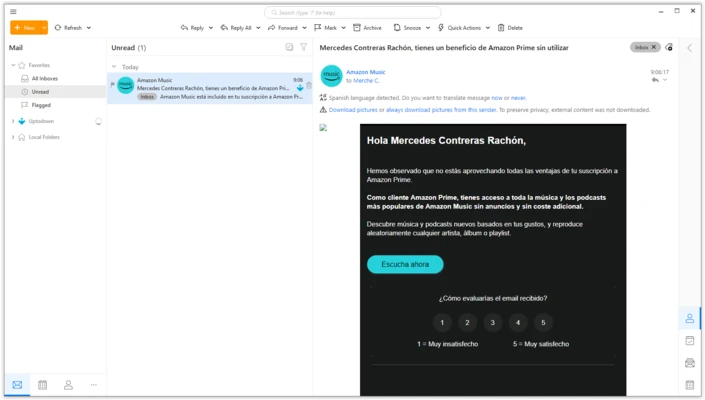
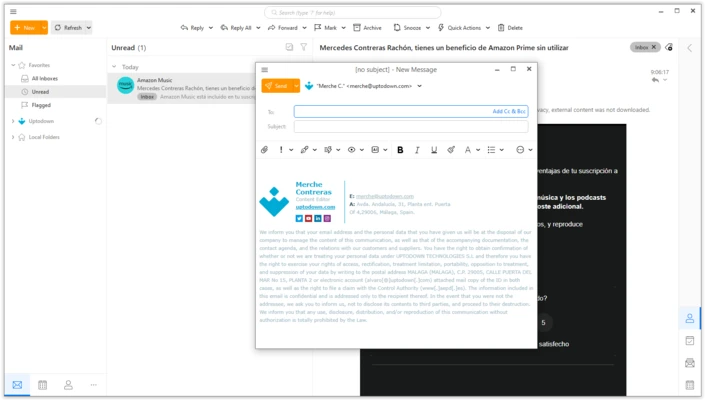
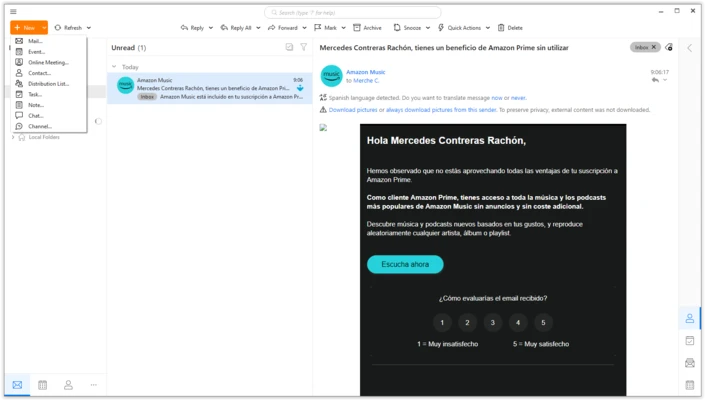
eM Client is a highly versatile, feature-rich desktop email client designed for Windows PCs that integrates your emails, calendars, tasks, contacts, and chat platforms into a single interface. Built on a modern and clean design architecture, it serves as an excellent unified communications workstation for managing multiple email accounts simultaneously.
The application offers direct synchronization compatibility with all major providers, including Gmail, Yahoo, Microsoft Outlook, iCloud, Exchange, and standard IMAP/POP3 services, making it a powerful productivity tool for both casual and power users.
Overview and Key Features
-
Unified Multi-Account Inbox: Consolidates separate message folders from different providers into a single, structured view to track emails effortlessly.
-
Seamless Migration Wizard: Includes a built-in import module that seamlessly migrates structural email data, filters, and contacts directly from Outlook, Thunderbird, and Windows Mail.
-
Complete Calendar & Task Ecosystem: Built-in calendar and agenda workflows enable users to create reminders, organize meetings, track personal to-do lists, and sync natively with external systems like Google Calendar.
-
Native PGP and S/MIME Encryption: Provides advanced end-to-end PGP email message encryption tools to ensure ultimate privacy for outbox communications without requiring complex third-party extensions.
-
Integrated Collaboration Chat: Houses a convenient text chat module supporting major communication networks such as Google Talk, Jabber, and custom messaging protocols, complete with file transfer mechanics.
-
Smart Inbox Categorization & AI Tools: Features automatic email categorization filters to segregate incoming mail into descriptive sections, alongside integrated AI assistants for drafting and translation.
-
Deep Personalization Matrix: Offers 10 pre-loaded colorful themes, highly customizable panel positions, and a robust sidebar layout configuration to easily adjust layout density.
How to Use
-
Download the latest installer package suited for your device architecture and execute the localized installer utility.
-
Complete the step-by-step installation instructions, ensuring that the necessary system dependencies are fully registered.
-
Launch the application to load the multi-panel main workspace control center.
-
Input your active email credentials into the initial configuration box; the engine will automatically detect host incoming and outgoing server configurations.
-
Use the data migration prompts if you need to pull archived folders and signature structures from older legacy email tools.
-
Toggle your general visual styles, panel setups, or dark-mode options from the central configuration panel.
-
Click the lower navigation links on the left sidebar to alternate seamlessly between Mail views, Calendar schedules, Tasks, and Contact notebooks.
Pros and Cons
Pros
-
Exceptionally user-friendly setup wizard requiring no deep manual port or server-side mapping adjustments.
-
Out-of-the-box native OpenPGP message encryption eliminates the need for separate client plugins.
-
Highly detailed layout controls allow users to position reading tabs exactly where they prefer them.
Cons
-
The personal evaluation free license is strictly restricted to a maximum of two independent email accounts.
-
Features a moderately higher memory footprint during background indexing cycles when compared to open-source tools like Thunderbird.
-
Advanced administrative scripts, priority VIP support options, and commercial verification rights are locked to premium accounts.
System Requirements
-
Operating System: Microsoft Windows 11, 10, 8, or 7.
-
Central Processing Unit: Dual-core CPU clocked at 1.6 GHz or faster.
-
System Memory: 2 GB RAM minimum (4 GB or more strongly recommended for large databases).
-
Free Disk Storage Space: 350 MB of unallocated space for base system files, plus extra drive capacity for accumulating email archives.
-
Underlying Framework: Requires the .NET Framework layer to execute client routines correctly.