Firefox Developer Edition is a specialized version of the Mozilla Firefox browser designed specifically for web developers.
It provides advanced development tools, experimental web platform features, and enhanced debugging capabilities to help developers build, test, and optimize modern websites and web applications.
Unlike the standard Firefox browser, Developer Edition includes a dedicated developer profile, additional DevTools features, and early access to upcoming web technologies, making it an ideal browser for frontend developers and web professionals.
Features
Advanced Developer Tools
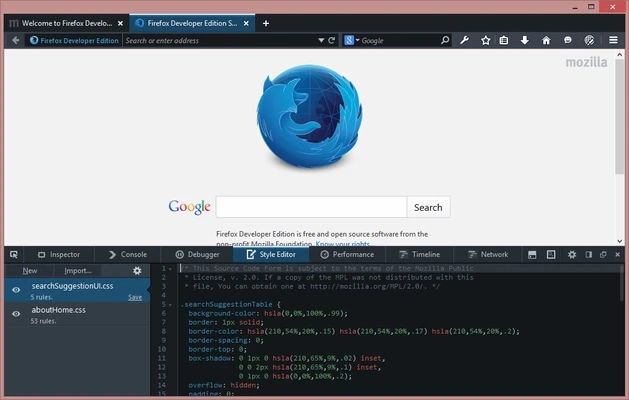
Firefox Developer Edition includes powerful built-in tools for analyzing and debugging websites, including:
- Page Inspector
- JavaScript Debugger
- Web Console
- Network Monitor
- Performance Tools
These tools help developers identify issues and improve website performance.
CSS and JavaScript Debugging
Advanced debugging features allow developers to inspect and modify:
- CSS layouts
- JavaScript code
- DOM elements
- Page styles
It supports modern CSS technologies such as Grid, Flexbox, and container queries.
Responsive Design Mode
Test websites across different screen sizes and devices with built-in responsive simulation tools.
Developers can preview mobile layouts, adjust viewport sizes, and analyze responsive behavior without using external tools.
Experimental Web Technologies
Firefox Developer Edition provides early access to new web APIs, browser features, and platform improvements before they become available in the standard Firefox release.
Network and Performance Analysis
The integrated Network Monitor and Performance tools help developers analyze:
- Loading speed
- Network requests
- Resource usage
- JavaScript performance
WebAssembly and Service Worker Support
Includes debugging support for modern web technologies such as:
- WebAssembly applications
- Progressive Web Apps
- Service Workers
Multi-Account Containers
Separate different browsing sessions and accounts within the same browser window, making it useful for testing websites with multiple user environments.
Dedicated Developer Profile
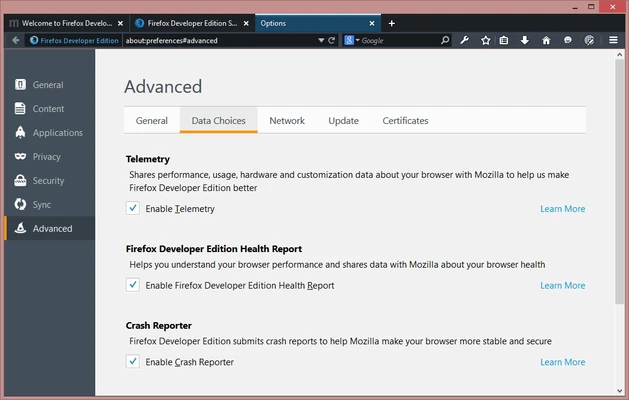
Firefox Developer Edition uses a separate profile from regular Firefox, allowing developers to install testing extensions and customize settings without affecting their main browser.
User Interface
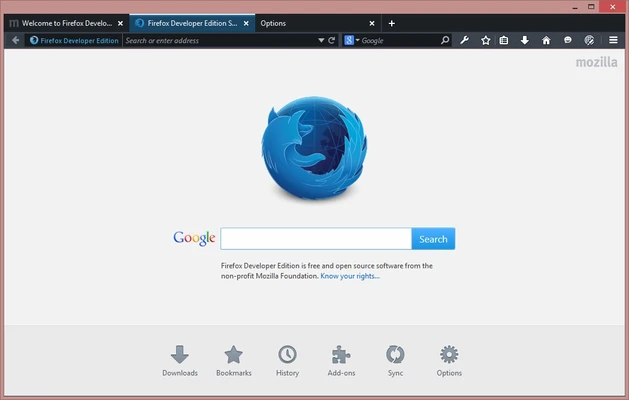
Firefox Developer Edition features a developer-focused interface with a clean layout and optimized access to debugging tools.
The dark theme reduces eye strain during long development sessions, while the integrated DevTools panel provides quick access to essential development features.
FAQ
Is Firefox Developer Edition free?
Yes. Firefox Developer Edition is completely free and open-source software developed by Mozilla.
Can I use Firefox Developer Edition as my main browser?
Yes. It is stable enough for daily browsing while providing additional tools for developers.
Can Firefox Developer Edition run together with normal Firefox?
Yes. Developer Edition installs separately and maintains its own profile.
Are Firefox extensions supported?
Yes. Most Firefox extensions are compatible with Developer Edition.
What is the difference between Firefox and Firefox Developer Edition?
Developer Edition includes additional developer tools, experimental features, and a separate development environment designed for testing websites and applications.
System Requirements
- Operating System: Windows 10 / Windows 11 (64-bit recommended)
- Processor: Intel or AMD 1 GHz or faster
- RAM: 2 GB minimum
- Storage: About 200 MB free space
- Internet connection required for updates
Pros
- Free and open-source
- Powerful built-in developer tools
- Supports modern web standards
- Separate developer profile
- Excellent privacy features
- Regular updates from Mozilla
Cons
- Experimental features may occasionally be unstable
- Some developer workflows are better optimized for Chromium browsers
- Requires more memory than basic browsers
Conclusion
Firefox Developer Edition is a powerful browser built for web developers who need advanced debugging tools, experimental web technologies, and a dedicated development environment.
With built-in DevTools, responsive testing features, JavaScript debugging, and strong privacy protection, it is an excellent choice for frontend developers and anyone working with modern web applications.
For developers who prefer an open-source browser with powerful customization options, Firefox Developer Edition remains one of the best development browsers available.