Media Player Classic Home Cinema (MPC-HC) is a free, lightweight, open-source media player designed for Windows. It supports a wide range of audio and video formats while providing advanced playback controls, subtitle support, customizable settings, and hardware acceleration.
MPC-HC retains the simple interface of the classic Media Player Classic while adding modern playback features and improved compatibility. Its low resource usage makes it suitable for everyday video and audio playback on Windows PCs.
Key Features
-
Wide Format Support – Plays popular video and audio formats including MP4, MKV, AVI, FLV, MP3, FLAC, and more.
-
Lightweight Performance – Uses relatively few system resources for smooth media playback.
-
Subtitle Support – Load external subtitle files and adjust their appearance and synchronization.
-
Hardware Acceleration – Supports hardware-assisted video decoding for smoother playback of high-resolution content.
-
Advanced Playback Controls – Includes playback speed adjustment, frame-by-frame navigation, A-B repeat, and quick seeking.
-
Video Controls – Rotate, flip, mirror, stretch, and zoom video during playback.
-
Audio and Video Filters – Provides filters and processing options for adjusting playback quality.
-
Customizable Interface – Customize the toolbar, seekbar, keyboard shortcuts, mouse controls, and other interface settings.
-
Playback Resume – Remembers playback positions so you can continue videos later.
-
Folder Navigation – Quickly move between media files stored in the same folder.
-
Screenshot Capture – Capture individual frames from videos during playback.
-
Open Source – Distributed as free and open-source software.
User Interface
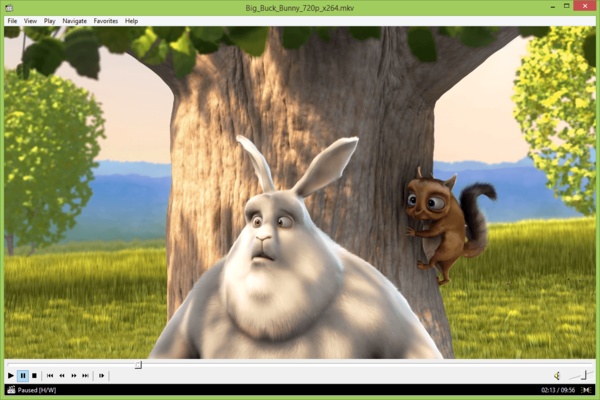
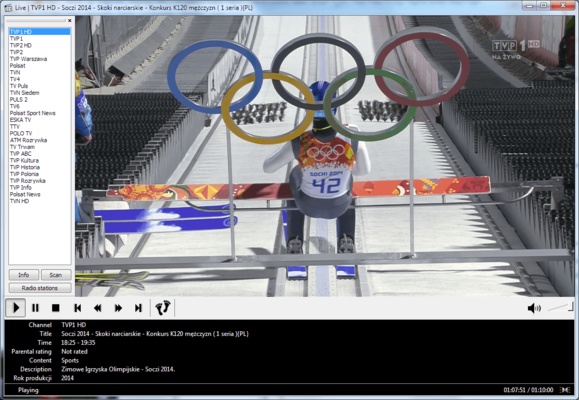
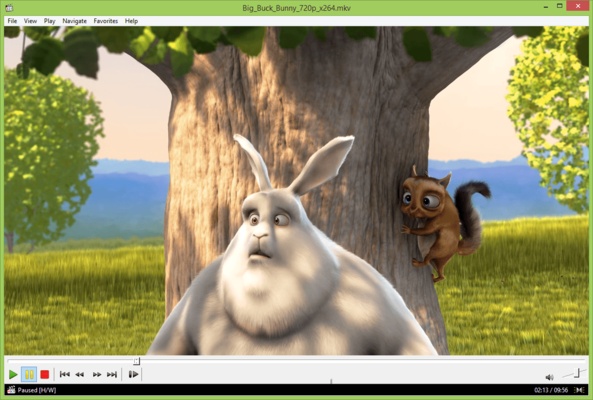
MPC-HC uses a simple, traditional media player interface with playback controls, a seekbar, menus, and customizable toolbars. Its straightforward layout makes basic playback easy while providing extensive settings for users who want more control over audio, video, subtitles, and playback behavior.
Installation and Setup
-
Download the MPC-HC installer.
-
Run the installer and follow the setup wizard.
-
Select the desired installation options.
-
Complete the installation and launch MPC-HC.
-
Configure playback, subtitle, audio, and video settings if necessary.
-
Optionally set MPC-HC as the default application for supported media formats.
How to Use
-
Launch MPC-HC.
-
Open a media file through the File menu or drag and drop it into the player window.
-
Use the playback controls to play, pause, seek, or adjust playback speed.
-
Load subtitles when needed and adjust their synchronization or appearance.
-
Switch audio or subtitle tracks for files containing multiple tracks.
-
Use video controls to zoom, rotate, or adjust the display.
-
Configure additional playback options through the settings menu.
Pros
-
Lightweight and resource-efficient
-
Supports many popular media formats
-
Free and open source
-
Extensive playback customization
-
Strong subtitle support
-
Hardware acceleration support
-
Simple and familiar interface
Cons
-
Available only for Windows
-
Interface may look dated compared with modern media players
-
Advanced settings can be overwhelming for beginners
-
Online streaming is not its primary focus
Conclusion
Media Player Classic Home Cinema (MPC-HC) is a lightweight Windows media player that combines a simple interface with extensive playback and customization options. With broad format support, subtitles, hardware acceleration, advanced playback controls, and low resource usage, it provides a practical solution for users who mainly need reliable local audio and video playback.