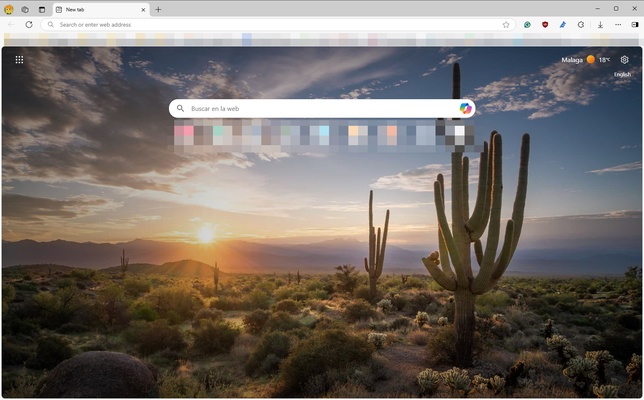
Microsoft Edge is a Chromium-based web browser developed by Microsoft for Windows and other platforms. It combines fast web browsing with built-in security, privacy controls, productivity tools, PDF support, extensions, and Microsoft services. Edge also includes integrated AI features that can assist with web searches, content analysis, and other tasks.
Key Features
-
Chromium-Based Browsing
-
Microsoft Defender SmartScreen
-
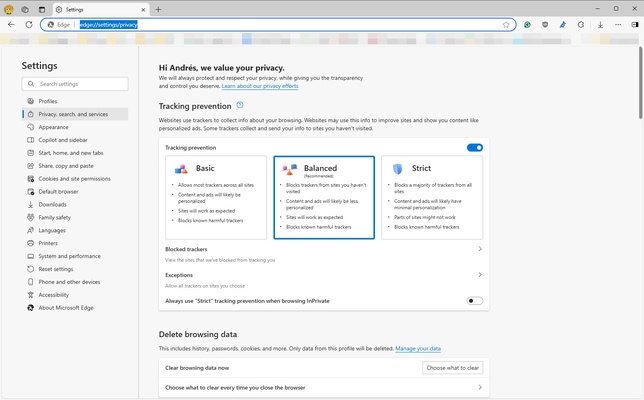
Tracking Prevention
-
Chrome Extension Support
-
Microsoft Edge Add-ons
-
Collections
-
Vertical Tabs and Workspaces
-
Web Capture and Annotations
-
Built-in PDF Tools
-
Reading Mode
-
Password Manager
-
Cross-Device Sync
-
Automatic Updates
-
AI-Powered Features
User Interface
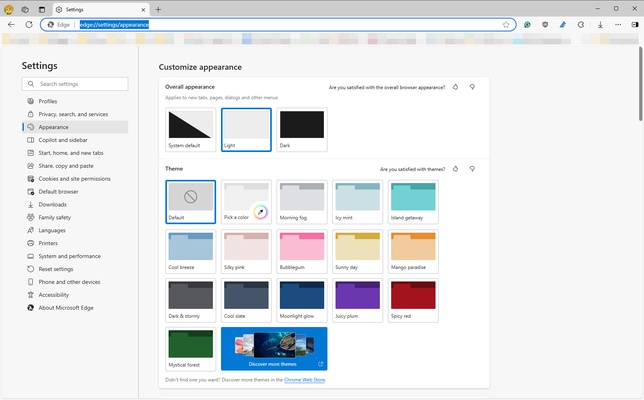
Microsoft Edge features a clean and customizable interface with the address bar and navigation controls at the top. Users can organize tabs with vertical tabs and workspaces, while the sidebar provides quick access to selected tools and services.
Installation and Setup
Microsoft Edge is included with supported versions of Windows and can also be installed manually. After launching the browser, users can sign in with a Microsoft account to synchronize bookmarks, passwords, browsing history, settings, and other supported data across devices.
How to Use
-
Launch Microsoft Edge and enter a website address or search term.
-
Open additional pages using tabs or organize them with workspaces.
-
Sign in with a Microsoft account if you want to sync browsing data.
-
Open the Extensions section to install compatible browser extensions.
-
Use Collections to save and organize web content.
-
Use built-in PDF and web capture tools when working with documents or web pages.
-
Adjust privacy, security, appearance, and other options from Settings.
Pros
-
Chromium-based compatibility
-
Built-in security and privacy features
-
Supports Chrome extensions
-
Integrated PDF and productivity tools
-
Cross-device synchronization
-
Available across Windows, macOS, Android, and iOS
Cons
-
Uses significant memory with many tabs or extensions
-
Some features are closely integrated with Microsoft services
-
The large number of built-in features may feel unnecessary for users who prefer a simpler browser
Conclusion
Microsoft Edge is a full-featured web browser with Chromium compatibility, built-in security tools, extension support, synchronization, PDF capabilities, and integrated productivity and AI features. It is particularly well suited to users who work across Windows and other Microsoft-connected devices.