MKVToolNix 64-bit is a free and open-source toolset for creating, editing, splitting, merging, and inspecting Matroska (MKV) files. It allows users to combine video, audio, subtitles, chapters, and metadata into MKV containers or extract individual tracks from existing files.
The software includes both a graphical interface and command-line tools, making it suitable for everyday MKV management as well as batch processing and automation. The 64-bit Windows version is designed for modern systems and is well suited for working with high-resolution media files.
Key Features
-
MKV Muxing – Combine video, audio, subtitle, chapter, and metadata tracks into a single MKV file.
-
Demuxing – Extract individual video, audio, subtitle, and other tracks from MKV files.
-
Track Editing – Change track names, languages, default flags, forced flags, and other settings.
-
Subtitle Support – Work with common subtitle formats such as SRT, ASS, and PGS.
-
Chapter Management – Add, edit, and manage chapter information.
-
Metadata Editing – Modify supported metadata and container information.
-
Attachments – Add or extract attachments such as fonts and cover images.
-
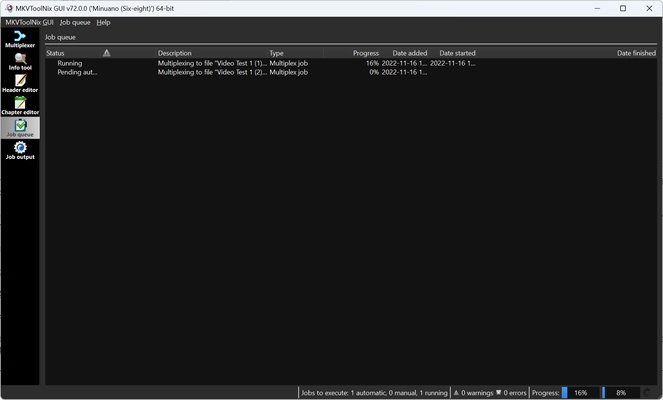
Batch Processing – Queue multiple jobs and process them sequentially.
-
Command-Line Tools – Automate MKV operations through command-line utilities and scripts.
-
File Analysis – Inspect MKV files and view information about their tracks and properties.
-
Lossless Processing – Muxing and demuxing generally do not re-encode the media streams, allowing the original video and audio quality to be preserved.
User Interface
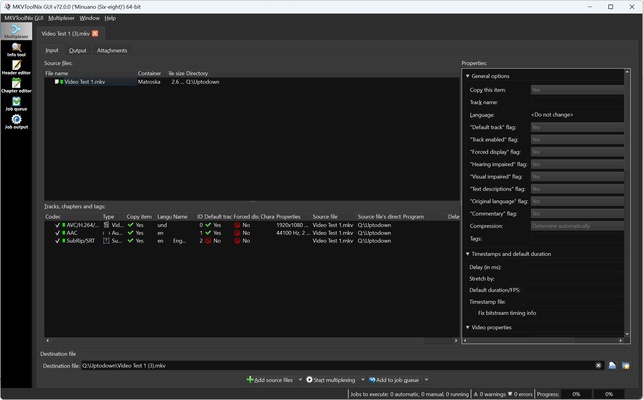
MKVToolNix GUI uses a tab-based interface that organizes common operations into separate areas for input files, output settings, attachments, chapters, and queued jobs.
Users can drag and drop media files into the interface, select individual tracks, modify their properties, and configure the output file without using the command line. Advanced users can switch to the included command-line tools for scripting and automation.
Installation and Setup
-
Download the 64-bit Windows installer for MKVToolNix.
-
Run the installer and follow the setup wizard.
-
Choose the installation location and required components.
-
Complete the installation.
-
Launch MKVToolNix GUI from the Start menu or desktop shortcut.
No additional configuration is normally required for basic MKV muxing and demuxing.
How to Use
Open MKVToolNix GUI and add the MKV or other supported media files to the Input section. The program will display the available video, audio, subtitle, chapter, and other tracks.
Select the tracks you want to keep and adjust options such as track name, language, default status, and forced status. You can also add subtitles, chapters, attachments, or additional media tracks.
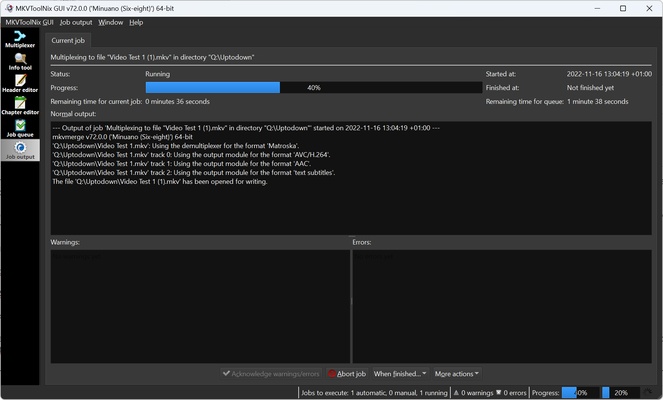
Choose the destination for the output file and click Start Multiplexing to create the new MKV file. For repetitive operations, multiple jobs can be added to the job queue, while advanced users can use the command-line tools for automation.
System Requirements
-
Operating System: Windows 7, 8, 10, or 11, 64-bit
-
Memory: 2 GB RAM minimum
-
Processor: Dual-core processor or better recommended
-
Storage: Approximately 100 MB for the application, with additional space required for processed media files
Pros
-
Free and open-source
-
Powerful MKV muxing and demuxing tools
-
Supports video, audio, subtitles, chapters, and attachments
-
Lossless container-level processing
-
User-friendly graphical interface
-
Includes command-line tools
-
Supports batch job processing
-
Regularly maintained
Cons
-
Not designed as a full video editor
-
No built-in video playback or advanced editing tools
-
Some advanced functions may require command-line knowledge
-
Primarily focused on Matroska container management
Conclusion
MKVToolNix 64-bit is a powerful and reliable solution for users who regularly work with MKV files. It provides an efficient way to merge, split, extract, and manage video, audio, subtitle, chapter, and metadata tracks without unnecessary re-encoding.
With its combination of an accessible GUI, batch processing, and command-line tools, MKVToolNix is suitable for both general media management and more advanced video workflows.