Go to Windows platform Display platforms icon
Go to Windows platform Go to Mac platform Go to Android platform
RStudio 2026.07.1 icon

RStudio 2026.07.1

2026.07.1
RStudio, Inc
5.0
377 MB size

Take control of your R for Windows code!

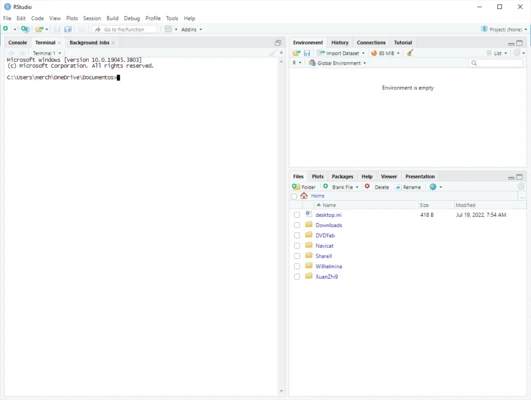
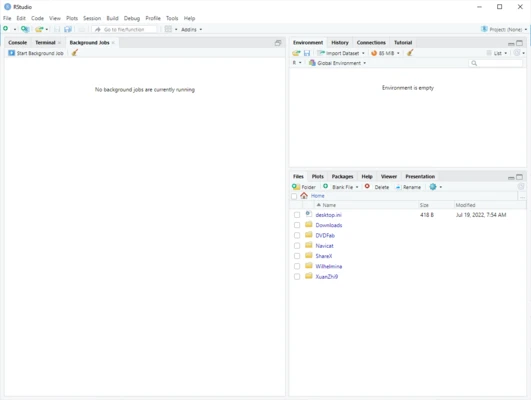
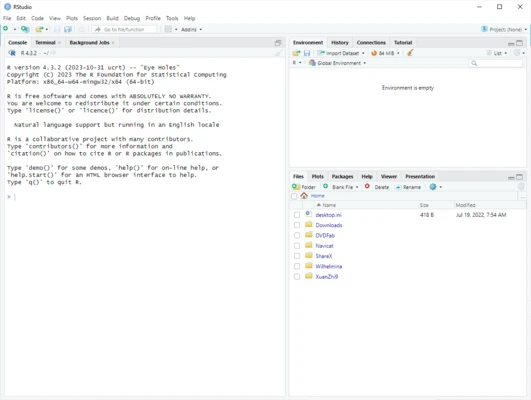
RStudio is a powerful integrated development environment (IDE) designed for the R programming language. It provides developers, data scientists, statisticians, and researchers with a complete workspace for statistical computing, data analysis, visualization, and software development.

RStudio includes a source code editor, interactive console, debugging tools, project management features, and integrated support for R packages. It helps users write, test, analyze, and share R projects more efficiently.

Available for Windows, macOS, and Linux, RStudio is widely used in data science, machine learning, academic research, and statistical analysis.

Features of RStudio

Advanced Code Editor

RStudio provides a professional script editor with syntax highlighting, code completion, smart indentation, and error checking.

Users can write, edit, and execute R code directly from the editor, making development faster and more efficient.

Interactive R Console

The built-in console allows users to run R commands immediately and view results in real time.

It provides a convenient environment for testing code, analyzing data, and exploring R functions.

Data Visualization Tools

RStudio integrates powerful visualization capabilities through popular R packages such as ggplot2 and lattice.

Users can create interactive charts, statistical graphics, and professional data visualizations directly within the IDE.

Data Management and Analysis

The software includes tools for viewing and managing datasets, including an integrated data viewer and support for popular R packages such as dplyr and tidyr.

These features simplify data cleaning, transformation, and analysis workflows.

Package Management

RStudio provides built-in tools for managing R packages.

Users can install, update, load, and organize packages directly from the IDE.

Debugging Tools

The integrated debugger helps developers identify and fix errors in R scripts.

It provides tools for setting breakpoints, inspecting variables, and analyzing code execution.

Project Management

RStudio Projects allow users to organize files, scripts, data, and settings into separate development environments.

This makes it easier to manage large R projects and maintain organized workflows.

R Markdown Support

RStudio supports R Markdown, allowing users to create dynamic reports that combine R code, charts, tables, and formatted documentation.

It is widely used for reproducible research and data analysis reports.

Shiny Application Development

RStudio provides support for building interactive web applications using the Shiny framework.

Developers can create data-driven applications and share analytical results through web interfaces.

Version Control Integration

RStudio includes Git and GitHub integration, allowing users to track changes, manage versions, and collaborate on R projects.

Information about RStudio 2026.07.1

License Open Source
Op. System Windows
Category Development
Language English + more
Author RStudio, Inc
permission icon Permissions Not applicable
Date 2026-07-22
Size 377 MB
File type Official Website

Apps recommended for you

Arduino IDE icon
The official app for Arduino programming
DbSchema icon
Wise Coders Solutions for Windows is a software suite that provides tools for coding, automation, and system optimization.
Serial to Ethernet Connector icon
Serial to Ethernet Connector (Windows) – Share and access serial ports over a network effortlessly.
FlyEnv icon
FlyEnv for Windows is a virtual environment tool that helps developers manage and run isolated software environments efficiently.
GameMaker Studio icon
GameMaker Studio for Windows is a game development platform that lets users create 2D games quickly with drag-and-drop or code.
UltraEdit 33.0.0.21 (64-bit) icon
High quality text editor with extensive tools for programers
Late Night icon
Short horror game
dotConnect for MySQL Professional 10.1.123 icon
Development framework with a number of innovative technologies
Java JDK 26.0.2 (64-bit) icon
The basic tool you need in order to create apps in Java
Postman 12.17.5 icon
Postdot Technologies, Inc
NumPy 2.5.1 icon
Easily creating and manipulating numerical data
Visual Assist 2026.4 (2615) icon
Fill the gaps in Microsoft Visual Studio!
Vim 9.2.0782 icon
A highly configurable text editor built to creating and changing any text
RStudio 2026.06.0 icon
Take control of your R for Windows code!
MongoDB Compass 1.49.10 icon
Amazing and Free GUI (Graphical User Interface) for MongoDB
cURL icon
cURL for Windows is a command-line tool for transferring data with URLs, supporting various protocols like HTTP, FTP, and more.
Jailer icon
Wisser
ILSpy icon
ILSpy for Windows is a free, open-source .NET assembly decompiler that allows users to inspect, analyze, and convert compiled .NET assemblies back to source code.
RStudio 2026.06.0 icon
Take control of your R for Windows code!
Microsoft Visual C++ Redistributable icon
Run games and applications smoothly with Microsoft Visual C++ Redistributable for Windows, the essential runtime package required by software built with Visual C++.
Algodoo icon
Have fun creating, inventing and playing with physics
Python icon
Python for Windows is a versatile programming language that allows users to write, run, and develop applications across a wide range of domains.
dbForge Data Compare for PostgreSQL icon
Compare Diffs and Sync Table Data in PostgreSQL
Electron icon
Electron is an open-source framework for building cross-platform desktop applications using web technologies like HTML, CSS, and JavaScript.