



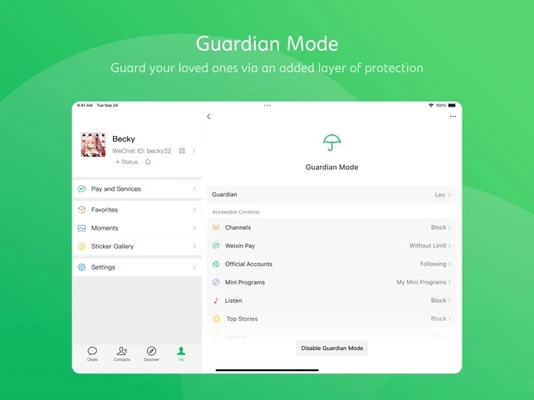
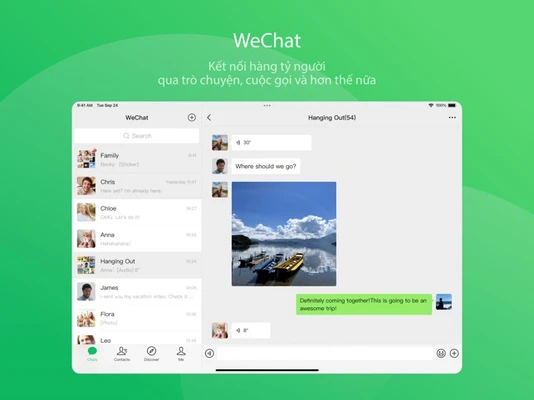
WeChat for Mac is a popular messaging and communication app that allows users to chat, share files, and stay connected directly from their desktop. It is the official Mac version of the widely used WeChat mobile app, designed to sync seamlessly with your mobile account.
After installation, users can log in by scanning a QR code using the WeChat mobile app. Once linked, chats and contacts are automatically synchronized between devices.
Overview
WeChat for Mac brings core messaging features from mobile to desktop, enabling users to communicate more efficiently while working on a computer.
The app is especially useful for users who frequently switch between mobile and desktop devices and need instant access to messages and files.
Messaging & Communication
The Mac version supports real-time messaging with full synchronization from your mobile account.
Key communication features include:
- One-on-one chats
- Group conversations
- Message notifications
- Emoji and media sharing
- Message forwarding
Group chats also support @mentions, ensuring important messages are not missed.
File Sharing
WeChat for Mac allows users to send and receive files directly from their desktop. Supported file types include:
- Images
- Documents
- Videos
- Other common file formats
Files shared on desktop can be accessed instantly on mobile devices and vice versa, making it convenient for work and personal use.
Screenshot Tool
The built-in screenshot feature allows users to capture parts of the screen and send them directly in chats. It also includes basic annotation tools such as:
- Text labels
- Shapes
- Highlighting tools
This is especially useful for work communication and quick explanations.
Message Recall
WeChat for Mac supports message recall functionality. Users can delete recently sent messages within a limited time window (typically up to 2 minutes after sending).
This helps correct mistakes or remove unintended messages quickly.
Login & Security
Login is secured through QR code authentication. Users must scan the QR code using their mobile device before accessing the desktop version.
This ensures that:
- No password is stored on the desktop
- Account access remains tied to mobile verification
- Devices can be managed and unlinked anytime
Key Features
- QR code login authentication
- Real-time message synchronization
- File and media sharing support
- Group chat and @mentions
- Screenshot and annotation tool
- Message recall feature
- Cross-device chat sync
- Lightweight desktop client
System Requirements
- macOS 10.11 (El Capitan) or later
- Intel or Apple Silicon processor
- Minimum 2 GB RAM
- At least 200 MB free disk space
- Active WeChat mobile account required
Pros
- Seamless sync with mobile WeChat
- Easy file transfer between devices
- Clean and lightweight interface
- Secure QR-based login system
- Supports group chats and media sharing
Cons
- Requires mobile app for login
- Limited features compared to mobile version
- No standalone account creation on Mac
- No payment or wallet features on desktop
- Some actions still depend on mobile device
Conclusion
WeChat for Mac is a convenient desktop companion for mobile WeChat users. It improves productivity by bringing messaging, file sharing, and communication tools to macOS while maintaining full synchronization with the mobile app.
For users already within the WeChat ecosystem, it provides a smooth and efficient way to stay connected while working on a Mac.