

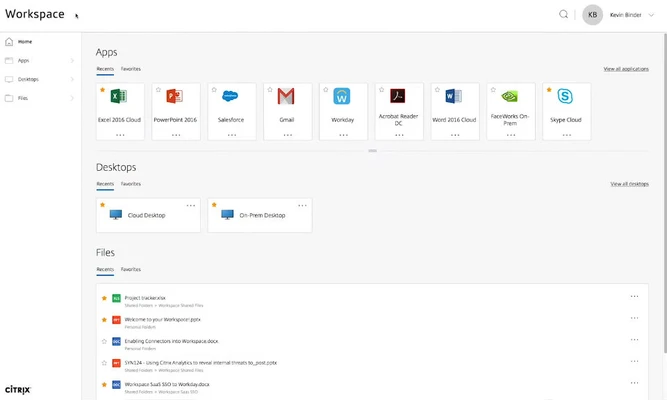
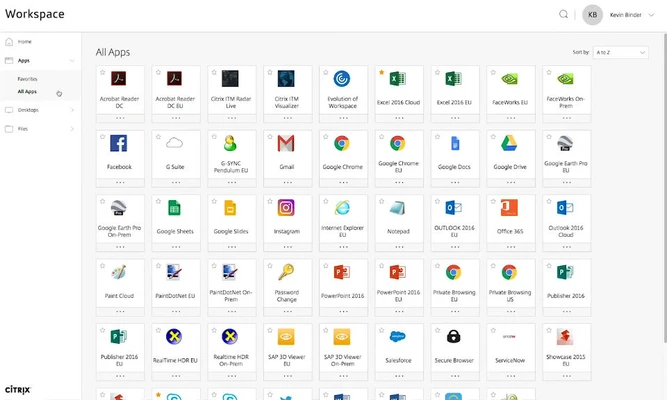
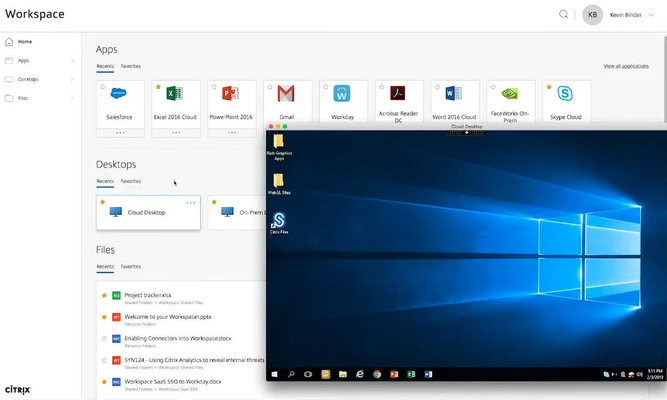
Citrix Workspace is a remote desktop client that lets you securely connect to your organization's Citrix environment. It provides unified access to SaaS applications, browsers, devices, files, and virtual desktops through a single interface. Instead of opening separate apps and websites for each service, you can sign in with your business credentials and access your available work resources from one place.
Log in with your business account
Citrix Workspace supports integrated access to services such as Citrix Secure Hub and Citrix Files, allowing you to authenticate once and access connected resources without repeatedly entering your credentials. This simplifies the login process, reduces repetitive steps, and helps streamline your daily workflow within your organization's Citrix environment.
The positives of Citrix Workspace
One of Citrix Workspace's main advantages is its cross-platform compatibility. You can use the client on Windows PCs, Macs, and mobile devices, making it easier to access your work environment across different platforms. With the app installed on your devices, you can work with files and resources from different locations while maintaining access to your organization's services.
100% secure connection
Citrix Workspace supports secure connections managed through Citrix infrastructure and integrated with your organization's network and VPN policies. Traffic encryption and access controls help protect connections to company resources. It can also use VPNService functionality to establish access to internal resources through a protected connection, depending on your organization's configuration.
Citrix Workspace is for you if
✓ You need unified access to your organization's Citrix applications, files, and desktops.
✓ You want to simplify authentication and reduce the need to enter multiple passwords.
✓ You need a cross-platform client for accessing work resources through a managed, secure connection.
An all-terrain remote desktop
Citrix Workspace is designed for organizations that use Citrix infrastructure to provide remote access to applications and desktops. With this client, employees can connect to their assigned work environments and use company resources remotely, subject to the access permissions and configuration established by their organization.