

FireAlpaca is a free and lightweight digital painting software for Windows and macOS. It provides a simple interface with brushes, layers, perspective tools, comic features, and other drawing tools, making it suitable for illustrations, manga, comics, and general digital artwork.
Key Features
-
Drawing and Painting Tools: Includes Pen, Pencil, AirBrush, Watercolor, and other brushes for different drawing styles.
-
Custom Brushes: Create and customize brushes using patterns or images.
-
Layer Support: Organize different parts of an illustration using separate layers.
-
Perspective Tools: Create perspective lines and use 3D perspective features for more accurate drawings.
-
Comic and Manga Tools: Includes comic templates and a concentration lines tool for manga-style artwork.
-
Symmetry and Rotation: Create symmetrical and rotational patterns efficiently.
-
Animation Support: Frame-based images can be combined into animated GIFs using the related AlpacaDouga tool.
-
Cross-Platform: Available for both Windows and macOS.
User Interface
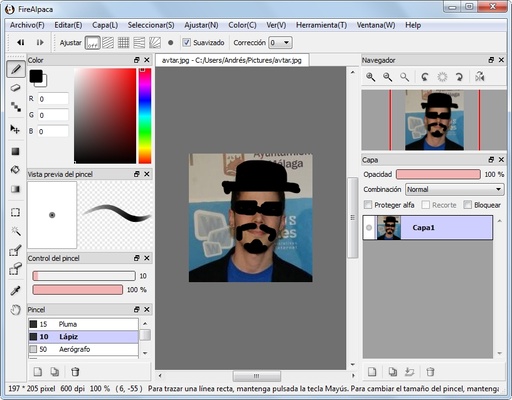
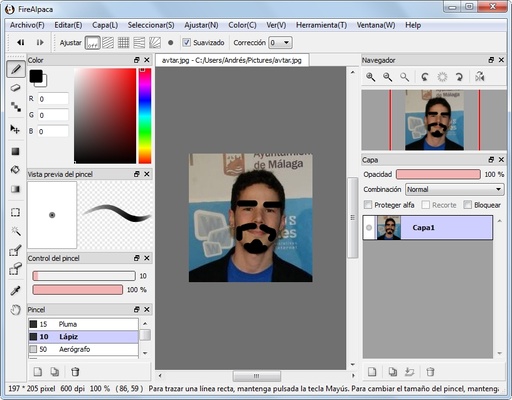
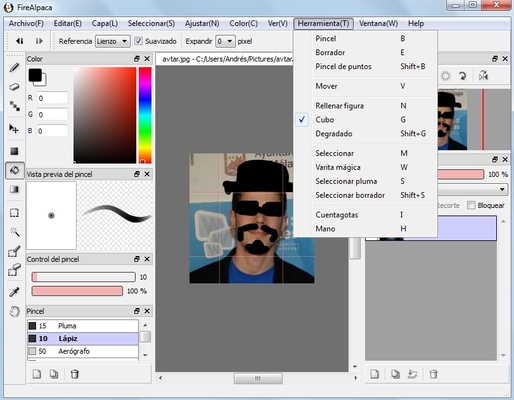
FireAlpaca uses a straightforward interface with a canvas, toolbar, brush controls, color settings, and layer panel. Its relatively simple layout makes common drawing tasks easy to access without the complexity of a professional graphics suite.
Installation and Setup
Download and run the installer for your operating system, then follow the setup instructions. After installation, launch FireAlpaca and create a new canvas or open an existing project.
How to Use
-
Launch FireAlpaca and create a new canvas.
-
Select a brush or drawing tool from the toolbar.
-
Adjust brush size, opacity, and other settings as needed.
-
Use layers to organize different elements of the artwork.
-
Apply perspective, symmetry, or comic tools when required.
-
Save your project in FireAlpaca's project format or export it as an image.
System Requirements
-
Operating System: Windows 7, 8, 10, or 11
-
Processor: Intel Pentium 4 or later
-
RAM: 2 GB minimum
-
Storage: At least 100 MB of free space
-
Graphics: OpenGL 2.0 or higher compatible graphics support
Pros
-
Free to use
-
Lightweight and fast
-
Simple interface
-
Supports layers and custom brushes
-
Useful comic and manga tools
-
Suitable for beginners and hobbyists
-
Available for Windows and macOS
Cons
-
Fewer advanced features than professional painting software
-
Limited vector editing capabilities
-
Some brush operations may experience performance issues on slower systems
-
Advanced animation features are handled through a separate tool
Conclusion
FireAlpaca is a lightweight digital painting application that focuses on simple and efficient drawing. Its brush customization, layer support, perspective tools, and comic-oriented features make it a good choice for beginners, hobbyists, and artists who prefer a straightforward alternative to more complex graphics software.