

Tresorit is a secure cloud storage and file-sharing platform designed to protect sensitive data with end-to-end encryption. Files are encrypted on the user's device before being uploaded, helping keep stored and shared content private while supporting synchronization across multiple devices.
Key Features
-
End-to-End Encryption – Encrypts files before they are uploaded to the cloud.
-
Secure File Sharing – Share files and folders with permissions, password protection, and link expiration options.
-
File Synchronization – Automatically sync files across supported devices using the same account.
-
Zero-Knowledge Architecture – Tresorit is designed so the service provider cannot access users' encryption keys or stored file contents.
-
Two-Factor Authentication – Adds an additional layer of account protection.
-
Version History – Keeps previous versions of files and allows users to restore earlier copies.
-
Secure Collaboration – Shared folders and granular permissions make it easier to collaborate on confidential files.
-
Offline Access – Access locally available files without an active Internet connection and synchronize changes later.
-
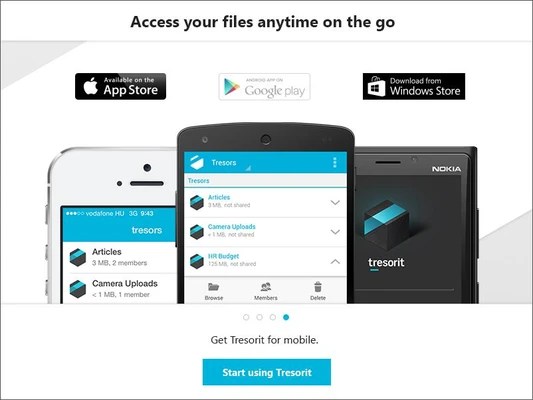
Cross-Platform Support – Available for Windows, macOS, Linux, iOS, Android, and the web.
-
Business Administration – Business plans provide centralized controls for managing users, permissions, and activity.
-
Productivity Integrations – Supports integrations with tools such as Microsoft Office and Outlook.
User Interface
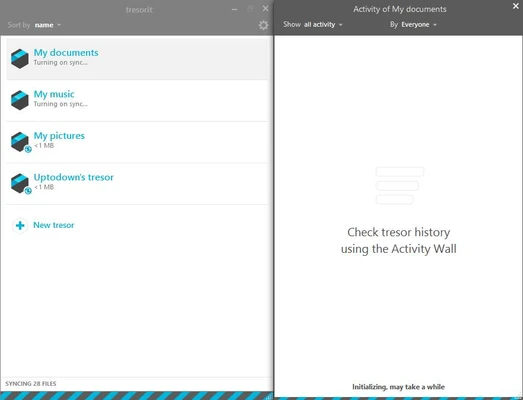
Tresorit provides a clean and professional interface centered around encrypted folders called Tresors. Files can be added through drag-and-drop, while sharing and permission controls are available from the file and folder management interface.
The layout is relatively straightforward for users familiar with cloud storage services, although some security and administration settings may require additional configuration.
Installation and Setup
Download and install Tresorit for Windows, then sign in with an existing account or create a new one. Encryption keys are handled as part of the account and application setup.
After signing in, create or open a Tresor, add files, and configure sharing permissions when collaborating with other users.
How to Use
-
Launch Tresorit and sign in to your account.
-
Create or open a Tresor folder.
-
Add files by dragging them into the folder.
-
Allow the application to encrypt and synchronize the files.
-
Use the sharing options to invite collaborators or create secure sharing links.
-
Configure permissions, passwords, or expiration dates when available.
-
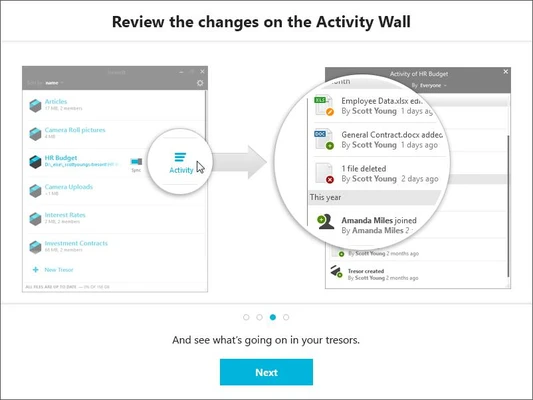
Access previous file versions or restore deleted files through the available history and recovery options.
System Requirements
-
Operating System: Windows 10 or Windows 11
-
Browser: Recent versions of Chrome, Firefox, Edge, or Opera for web access
-
Internet: Required for synchronization, sharing, updates, and online services
-
Account: Tresorit account required
Pros
-
Strong end-to-end encryption
-
Secure file and folder sharing
-
Cross-platform synchronization
-
Granular permission controls
-
Useful collaboration and administration features
-
Clean and professional interface
Cons
-
More expensive than many conventional cloud storage services
-
Some advanced features require a paid plan
-
The security-focused design can make account recovery more restrictive
Conclusion
Tresorit is a security-focused cloud storage and file-sharing solution for users who need stronger privacy controls than those typically offered by conventional cloud storage services. Its end-to-end encryption, secure sharing, synchronization, version history, and collaboration tools make it suitable for both personal and business use.
It may be more expensive than mainstream cloud storage platforms, but its security-oriented architecture makes it a practical choice for storing and sharing confidential files.