

XnConvert is a powerful batch image converter and processor that allows users to convert, resize, edit, and optimize multiple images at once.
Developed by XnSoft, this lightweight application supports hundreds of image formats and provides a wide range of editing tools, including resizing, cropping, rotating, watermarking, color adjustment, and filtering.
Designed for photographers, designers, and everyday users, XnConvert for Windows makes it easy to process large collections of images quickly and efficiently.
Key Features
Batch Image Processing
- Convert and edit multiple images simultaneously.
- Apply the same actions to hundreds of files at once.
- Save time when processing large image collections.
Extensive Format Support
- Supports more than 500 input image formats.
- Export images to popular formats including:
- JPEG
- PNG
- TIFF
- GIF
- WebP
- BMP
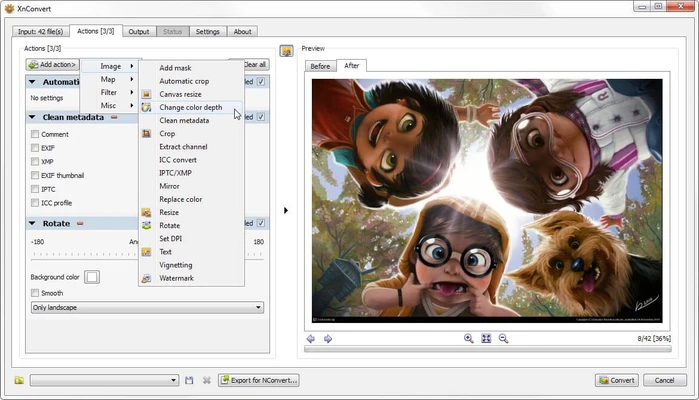
Image Editing Tools
- Resize images
- Crop and rotate photos
- Adjust brightness, contrast, and colors
- Add watermarks
- Apply filters and effects
- Sharpen or blur images
Metadata Management
- Keep or remove EXIF, IPTC, and XMP metadata.
- Manage image information during conversion.
Easy File Management
- Drag and drop image files directly into the application.
- Preview images before processing.
- Customize output folders and file naming options.
Cross-Platform Support
Available for:
- Windows
- macOS
- Linux
User Interface
XnConvert uses a simple tab-based interface:
- Input – Add and preview images.
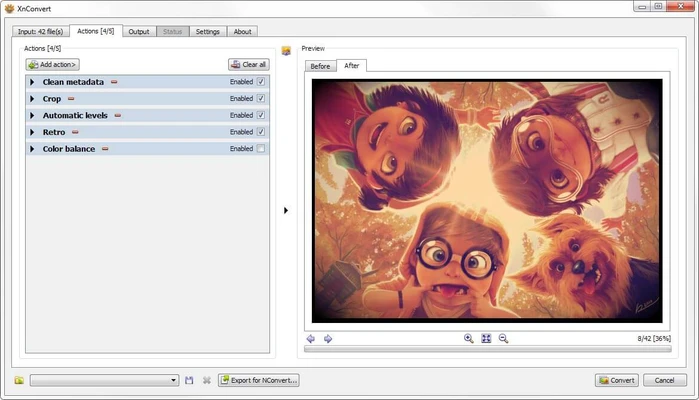
- Actions – Apply editing operations and effects.
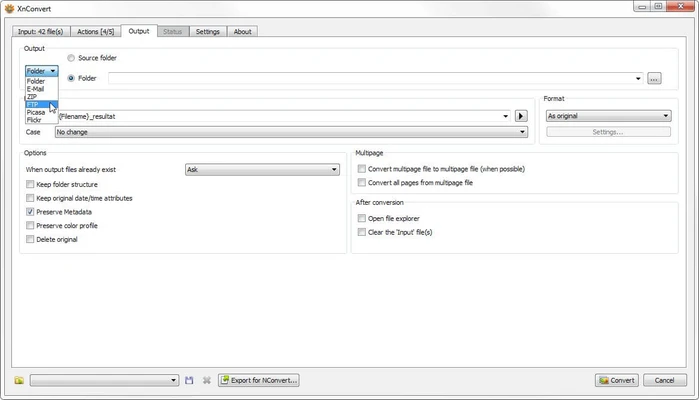
- Output – Configure format, quality, and destination settings.
The clean layout makes it easy for beginners while still providing advanced options for experienced users.
How to Use
- Add images using drag and drop or the Add Files button.
- Select editing actions such as resize, crop, or watermark.
- Choose the output format and quality settings.
- Select the destination folder.
- Click Convert to start processing.
System Requirements
- Operating System: Windows 7 / 8 / 10 / 11
- Processor: 1 GHz or faster
- RAM: 512 MB minimum (1 GB recommended)
- Storage: 50 MB free disk space
- Display: 1024×768 resolution or higher
Pricing
XnConvert is free for personal and educational use.
Commercial users should check the license terms before deployment.
PROS
- Supports hundreds of image formats
- Fast batch conversion
- Lightweight and resource efficient
- Easy-to-use interface
- Powerful image processing tools
- Available on multiple platforms
CONS
- Lacks advanced editing features found in Photoshop
- Interface design is slightly outdated
- Some effects have limited preview options
Alternatives
- FastStone Photo Resizer – Lightweight batch image converter with basic editing features.
- IrfanView – Fast image viewer with batch conversion tools.
- Adobe Photoshop – Professional image editor with advanced automation features.
- GIMP – Free open-source image editor with extensive customization options.
Conclusion
XnConvert is an excellent batch image processing tool for users who need to quickly convert and optimize large numbers of images.
With wide format compatibility, powerful batch operations, and a lightweight design, it is a practical solution for photographers, designers, and anyone managing large image collections.
Note: Free for personal and educational use.