Go to Windows platform Display platforms icon
Go to Windows platform Go to Mac platform Go to Android platform
ImageGlass 9.6.1.807 icon

ImageGlass 9.6.1.807

9.6.1.807
Duong Dieu Phap
5.0
136 MB size

A simple-to-use lightweight image/photo viewer for Windows PC!

ImageGlass is a free and open-source image viewer for Windows designed to provide a fast, lightweight, and customizable way to browse images.

Supporting more than 80 image formats, including PNG, JPEG, GIF, TIFF, SVG, WEBP, HEIC, ICO, and RAW files, ImageGlass offers a simple alternative to the default Windows Photos app.

The software focuses on speed and simplicity, providing essential image viewing features without unnecessary editing tools or bundled software.

Features

  • Supports 80+ image formats, including popular and professional image files.
  • Lightweight and fast image loading performance.
  • Customizable themes and user interface layouts.
  • Built-in image conversion between common formats.
  • Slideshow mode for viewing image collections.
  • Zoom, rotate, flip, and navigation tools.
  • Supports animated GIF and WEBP playback.
  • Clipboard support with drag-and-drop functionality.
  • Multi-language support.
  • Extension support for additional customization.

User Interface

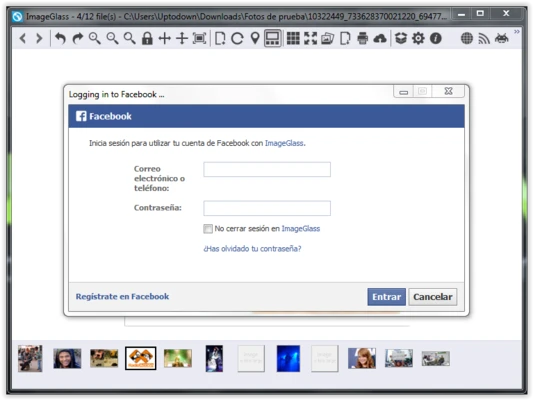
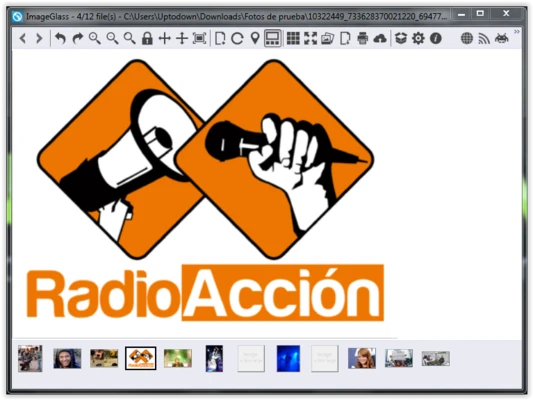
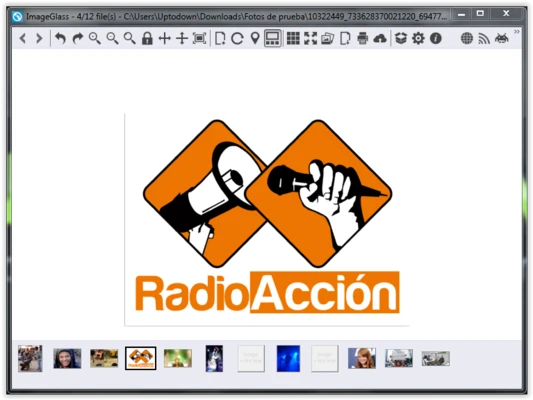
ImageGlass features a clean and minimal interface focused on image viewing. The toolbar provides quick access to common functions such as zooming, rotation, slideshow, and image conversion.

Users can customize themes and layouts to create a more personalized viewing experience.

How to Use

  • Install ImageGlass on your Windows PC.
  • Open images by dragging files into the application window or using the File menu.
  • Browse images in the same folder using navigation buttons or keyboard shortcuts.
  • Use zoom and rotation tools when needed.
  • Convert images through the built-in conversion feature.

Alternatives

  • IrfanView – A lightweight image viewer with additional editing features.
  • XnView MP – Supports many formats and advanced batch processing.
  • FastStone Image Viewer – Combines image viewing with basic editing tools.
  • Microsoft Photos – Windows built-in image viewer.

System Requirements

  • Operating System: Windows 10 / Windows 11 (64-bit)
  • Processor: 1 GHz or faster
  • RAM: 2 GB or more
  • Storage: About 50 MB free space

PROS

  • Free and open-source
  • Very lightweight and fast
  • Supports many image formats
  • Clean and customizable interface
  • No ads or bundled software

CONS

  • No advanced image editing features
  • Windows only
  • Some RAW formats may require additional codecs

Conclusion

ImageGlass is a lightweight and reliable image viewer for Windows users who need fast performance and broad format compatibility. It is an excellent replacement for the default Windows image viewer, especially for users who frequently manage large image collections.

Information about ImageGlass 9.6.1.807

License Open Source
Op. System Windows
Category Photo & Design
Language English + more
Author Duong Dieu Phap
permission icon Permissions Not applicable
Date 2026-08-07
Size 136 MB
File type Official Website

Apps recommended for you

Screenpresso icon
Take screen captures and edit them on the fly
Aiarty Image Enhancer icon
AI Image Enhancer Software - Upscale, Enhance, Generate More Details
ImageGlass 9.6.0.801 icon
A simple-to-use lightweight image/photo viewer for Windows PC!
Picture Window Pro icon
Non-destructive image editor for Windows
RouterX - Login Router Page 192.168.1.1 icon
Easily access and manage your router settings at 192.168.1.1 Page.
Draw.io Desktop icon
Draw.io Desktop for Windows is a powerful diagramming tool for creating flowcharts, network diagrams, and other visuals offline.
Krita 5.3.4 icon
Open Source Software for Concept Artists, Digital Painters, and Illustrators
Artweaver icon
Creative painting with this amusing tool
Blockbench 5.2.0 icon
A modern, open source 3D model editor for Minecraft mods!
Canva 1.126.0 icon
Canva makes design simple for everyone. Create designs for Web or print!
PicPick 7.6.1 icon
User friendly all-in-one software for screen capture
Krita 5.3.4 icon
Open Source Software for Concept Artists, Digital Painters, and Illustrators
ActivePresenter 10.6.0 icon
All-in-One Screen Recorder, Video Editor & eLearning Authoring Software
FotoSketcher 4.60 icon
Create beautiful works of art from your digital photos, for Free!
Blender 5.2.2 (64-bit) icon
Create 3D animations, graphics, and even games with intuitive controls
ReaConverter Pro 8.245 icon
Makes batch conversion and oft-recurring image editing simple
WinSnap icon
Capture screens and edit them from the same interface
HoverScribble icon
HoverScribble for Windows is a creative drawing tool that lets users create interactive sketches and drawings with a simple, intuitive interface.
ReaConverter Pro 8.228 icon
Makes batch conversion and oft-recurring image editing simple
Light Image Resizer icon
Light Image Resizer is a simple tool for quickly resizing and converting images in batch to optimize size and format.
BluffTitler icon
BluffTitler for Windows is a 3D animation software that lets users create professional titles and intros for videos easily.
XnView MP icon
View, save, and convert images
Screenshot Remote icon
Take screenshots remotely
LeafView icon
LeafView for Windows is a lightweight image viewer that offers fast and efficient viewing, organizing, and managing of image files.