KytyPS5 is a PlayStation 5 emulator for Windows PCs that can boot 2D games and some commercial 3D titles. The project is based on a heavily modified version of Kyty and draws on parts of the shadPS4 emulator to help understand the PS5's memory model and video playback.
Compatibility with different graphics engines
KytyPS5 can run games developed with Unreal Engine 4 and 5, Unity, and proprietary engines created by individual studios, without requiring low-level emulation (LLE) modules. The emulator is still under active development, and its list of compatible games continues to grow. Existing compatible titles are also receiving improvements in performance and graphics quality.
Hardware and graphics requirements
KytyPS5 uses Vulkan for graphics rendering. As with many emulators, performance is generally better on NVIDIA graphics cards. Other GPU manufacturers may offer incomplete support or less stable performance, depending on the hardware and driver compatibility.
Why KytyPS5 is not a typical emulator
Rather than emulating PS5 hardware at a low level, KytyPS5 intercepts calls to the console's operating system, Orbis OS, and translates them into equivalent Windows and Vulkan calls. Since Orbis OS uses the same x86-64 architecture as a PC, this approach can reduce the resources and development time required to run games on Windows. The emulator also translates GPU instructions into Vulkan commands before executing them on the PC's graphics card.
How to run the games
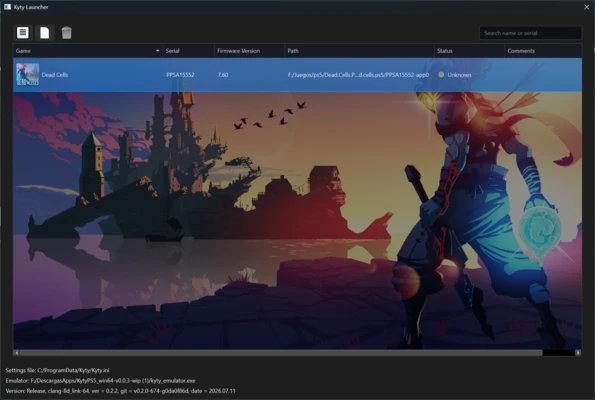
To run a game, open KytyPS5 and add the game's files. If you have a game backup, simply select the folder containing the extracted files. The emulator will scan the folder and allow you to launch the game by double-clicking it. Before starting, you can adjust settings such as resolution and frame rate to suit your hardware and the game's performance requirements.
Development and stability
KytyPS5 is still in an early stage of development. Its main priorities are improving game compatibility and fixing boot issues rather than delivering perfect graphics or high performance. Unexpected crashes, graphical glitches, and limited compatibility are still common, with stability varying considerably between games.
My experience with KytyPS5
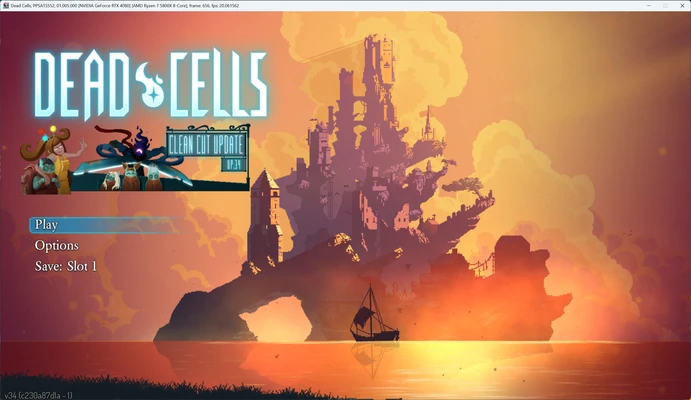
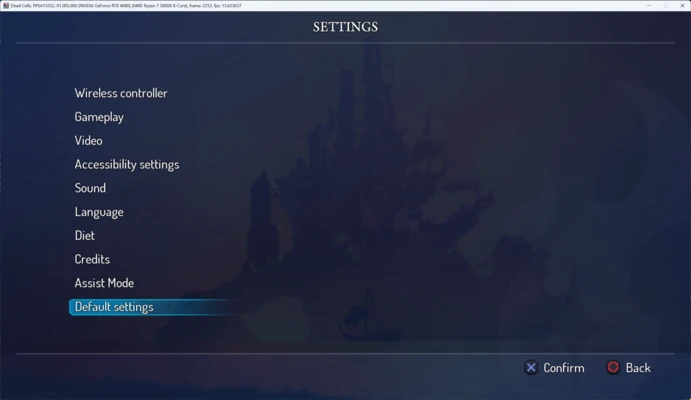
I launched KytyPS5 through its graphical interface and tested Dead Cells first. The game started without major issues and ran at around 15 to 20 FPS, which was reasonable for an emulator at this early stage. The emulator does not specify its keyboard controls, but movement works with WASD, while J, K, and L correspond to the circle, square, and X buttons. However, the emulator remained unstable and crashed once during gameplay, requiring me to close it.
What I liked most about KytyPS5 and what could be improved
-
What I liked most: It's already capable of running recognizable commercial games despite being at such an early stage of development.
-
What could be improved: Unexpected crashes and graphical glitches remain frequent.