Microsoft Edge is a fast, secure, and AI-powered web browser developed by Microsoft for Windows, macOS, Linux, Android, and iOS devices.
Built on the Chromium engine, Microsoft Edge provides excellent performance, broad extension compatibility, and modern browsing features. It includes integrated AI tools, advanced security protection, vertical tabs, collections, and seamless synchronization across devices.
As the default browser on Windows 10 and Windows 11, Edge is deeply integrated with the Microsoft ecosystem, offering a smooth experience for everyday browsing, work, and productivity.
Features and Highlights
AI-Powered Browsing
Microsoft Edge includes built-in AI features powered by Microsoft Copilot, helping users summarize web pages, answer questions, generate content, and improve productivity directly inside the browser.
Chromium-Based Performance
Powered by Chromium, Edge offers:
- Fast page loading
- Chrome extension compatibility
- Improved website compatibility
- Efficient memory management
Enhanced Security
Microsoft Edge includes advanced security features:
- Microsoft Defender SmartScreen protection
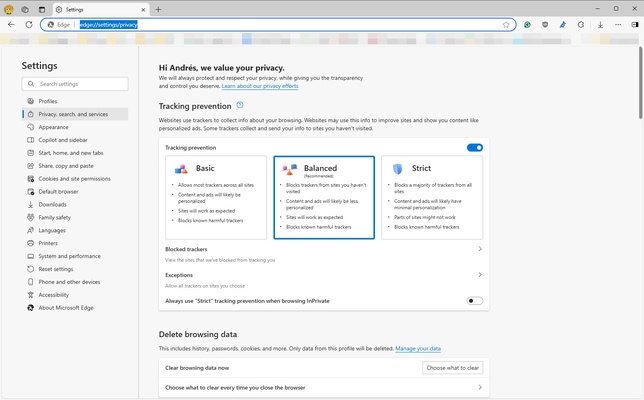
- Tracking prevention
- Secure browsing controls
- Password monitoring
- Automatic security updates
Collections
Save and organize web content including:
- Websites
- Images
- Text selections
- Notes
Collections are useful for research, shopping, planning, and organizing online information.
Vertical Tabs and Workspaces
Manage multiple websites more efficiently with:
- Vertical tab layout
- Tab groups
- Multiple workspaces
- Improved multitasking
PDF and Reading Features
Built-in tools allow users to:
- Open PDF files
- Add annotations
- Fill forms
- Use reading mode
- Save pages for later viewing
Cross-Device Sync
Sign in with a Microsoft account to synchronize:
- Favorites
- Browsing history
- Passwords
- Open tabs
- Settings
Available across Windows, macOS, Android, and iOS.
Extensions Support
Microsoft Edge supports extensions from both:
- Microsoft Edge Add-ons store
- Chrome Web Store
Users can customize the browser with productivity, security, and utility extensions.
User Interface
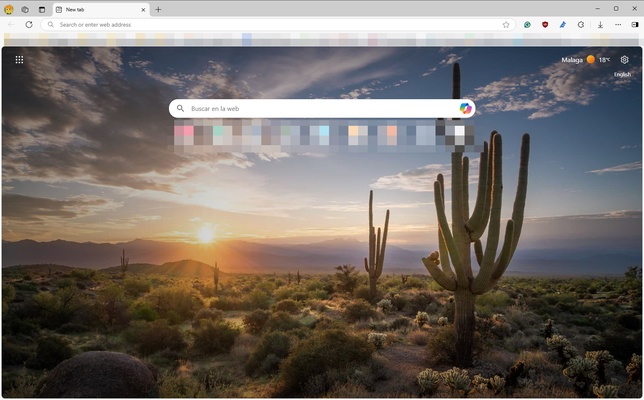
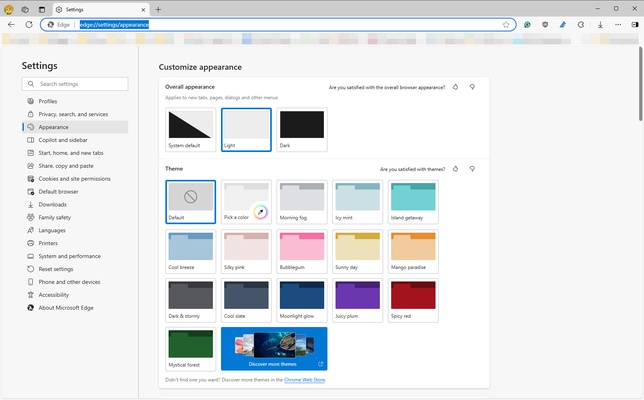
Microsoft Edge features a clean and modern interface with customizable layouts, themes, and toolbar options.
The browser provides quick access to frequently visited websites, favorites, collections, and AI tools while maintaining a simple browsing experience.
How to Use
- Download and install Microsoft Edge.
- Open the browser and sign in with a Microsoft account.
- Import bookmarks and settings from another browser if needed.
- Customize privacy, appearance, and extension settings.
- Start browsing websites and using built-in tools.
System Requirements
- OS: Windows 10 / Windows 11
- Processor: 1 GHz or faster
- RAM: 2 GB or more
- Storage: 200 MB available disk space
- Internet connection required for updates
Alternatives
- Google Chrome
- Mozilla Firefox
- Brave Browser
- Opera
- Vivaldi
PROS
- Fast Chromium-based performance
- Built-in AI assistant features
- Strong security protection
- Supports Chrome extensions
- Excellent Windows integration
- Cross-platform synchronization
CONS
- Requires Microsoft account for some features
- Uses more system resources than lightweight browsers
- Some users prefer other browser ecosystems
Conclusion
Microsoft Edge is a powerful modern web browser that combines fast Chromium performance, AI-powered tools, strong security features, and seamless Microsoft integration.
With support for extensions, cross-device synchronization, and productivity-focused features, Edge is a reliable choice for Windows users looking for a secure and feature-rich browsing experience.