


mIRC is a lightweight Internet Relay Chat (IRC) client for Windows that provides real-time communication through IRC networks. It supports multiple server connections, private messaging, file transfers, chat logging, scripting, and extensive customization, making it suitable for IRC communities and technically experienced users.
Key Features
-
IRC Chat: Connect to IRC networks, join channels, and communicate through public or private messages.
-
Multi-Server Support: Connect to multiple IRC networks simultaneously.
-
Scripting: Use the built-in scripting language to automate tasks, create custom commands, and build bots.
-
DCC Transfers: Supports Direct Client-to-Client chat and file transfers.
-
Chat Logging: Automatically save conversations for later reference or moderation.
-
Event Notifications: Create alerts and automated actions based on users, keywords, and other IRC events.
-
SSL Support: Supports encrypted SSL connections to compatible IRC servers.
-
Channel Management: Provides tools for managing channels, users, and nicknames.
-
Customization: Customize colors, sounds, toolbars, display options, and other aspects of the IRC experience.
-
Dark Mode: Supports a dark interface on supported modern Windows versions.
User Interface
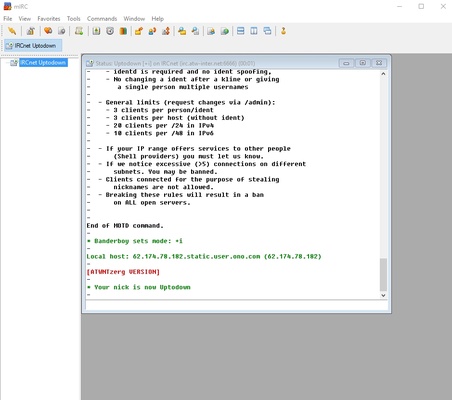
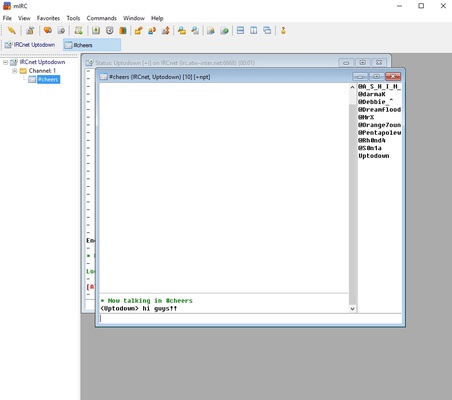
mIRC uses a traditional Windows interface with separate areas for server connections, channels, and conversations. Its layout is functional and highly customizable, with tabs, toolbars, and detailed configuration options.
The interface may look dated compared with modern messaging applications, but experienced IRC users can quickly access its extensive controls and features.
Installation and Setup
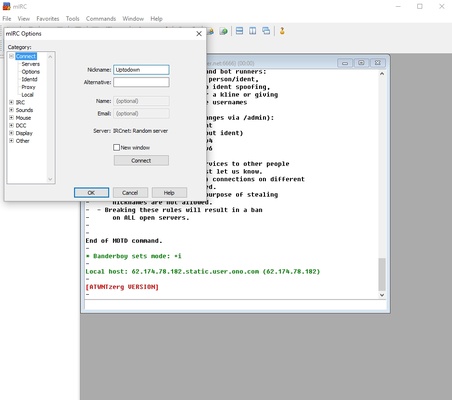
Install mIRC on a supported Windows PC using the setup wizard. During the initial configuration, enter a nickname, alternative nickname, and the IRC server you want to use.
After connecting to a server, you can join channels, start private conversations, configure logging, and customize the client through the Options menu.
How to Use
-
Launch mIRC and complete the initial user configuration.
-
Enter the IRC server address and connect.
-
Join a channel using the
/join #channelnamecommand. -
Send private messages with the
/msg username messagecommand. -
Configure colors, sounds, logging, and connection settings through Options.
-
Use DCC when file transfers or direct client-to-client communication are supported.
-
Explore mIRC scripting to automate repetitive tasks or create custom commands.
System Requirements
-
Windows 7, 8, 10, or 11
-
1 GHz processor or faster
-
512 MB RAM or more
-
Approximately 5 MB of free disk space
-
Internet connection for connecting to IRC networks
Pros
-
Lightweight and fast
-
Powerful scripting and automation capabilities
-
Supports multiple IRC networks
-
Extensive customization options
-
Chat logging and DCC support
-
SSL connection support
-
Mature and stable IRC client
Cons
-
Traditional and dated user interface
-
IRC is less accessible to casual users than modern messaging platforms
-
Some features require familiarity with IRC commands
-
Paid license required after the trial period
-
Primarily designed for Windows desktop use
Conclusion
mIRC remains a capable IRC client for Windows users who need reliable access to IRC networks, advanced scripting, automation, and extensive customization. While IRC is no longer a mainstream communication platform and the interface feels dated, mIRC continues to provide a comprehensive set of tools for IRC communities, developers, administrators, and experienced users.