


Octo Browser is a Chromium-based multi-account browser designed for managing separate browser profiles with isolated configurations. It is commonly used for multi-account management, affiliate marketing, SMM, e-commerce, web testing, and other workflows that require multiple independent browser environments.
Each profile can have its own browser fingerprint, cookies, extensions, and proxy settings, helping keep sessions separated from one another.
Key Features
-
Multiple Browser Profiles: Create and manage separate browser profiles with independent settings and sessions.
-
Fingerprint Management: Configures browser fingerprint parameters for individual profiles.
-
Proxy Support: Supports HTTP, SOCKS5, and SSH proxies, with tools for managing proxy lists.
-
Cookie Management: Keep cookies and other session data isolated between profiles.
-
Extensions: Supports Chrome Web Store extensions and custom extensions.
-
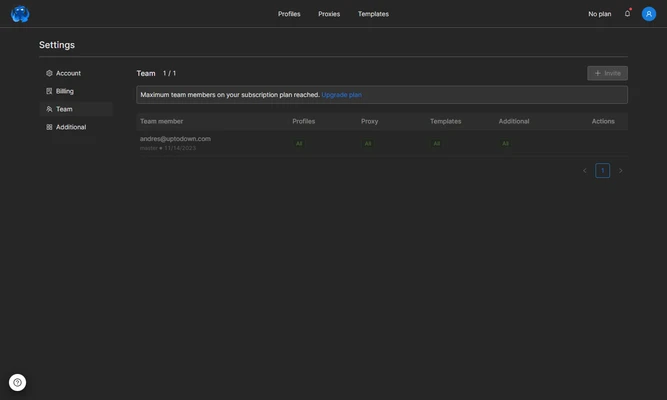
Teamwork: Profile sharing and access permissions allow multiple users to work with shared browser profiles.
-
API Automation: Provides API capabilities for automating browser-profile management and related workflows.
-
Chromium-Based: Uses the Chromium browser engine and receives updates alongside newer Chromium releases.
-
Cross-Platform: Available for Windows and macOS systems.
User Interface
The Octo Browser interface is designed around browser profile management. Users can create, organize, configure, and launch profiles from a central dashboard. Profile settings, proxy configuration, cookies, extensions, and access permissions can be managed separately.
Installation and Setup
-
Download and install Octo Browser on Windows or macOS.
-
Sign in to your Octo Browser account.
-
Create a new browser profile.
-
Configure the fingerprint, proxy, cookies, and other profile settings as needed.
-
Launch the profile and use it as an independent browser environment.
How to Use
Create a separate profile for each account or workflow you need to manage. Configure its proxy and other settings, then launch the profile from the main dashboard.
For team environments, profiles can be shared with other users and managed using the available access permissions. Advanced users can also use the API for automation.
System Requirements
-
Operating System: Windows or macOS
-
Architecture: Compatible with supported Intel and Apple Silicon Mac systems
-
Internet Connection: Required for account and browser-profile services
Pros
-
Supports multiple isolated browser profiles
-
Flexible fingerprint and proxy configuration
-
Team profile sharing
-
Chrome extension support
-
API automation
-
Chromium-based browser
Cons
-
Primarily designed for specialized multi-account workflows
-
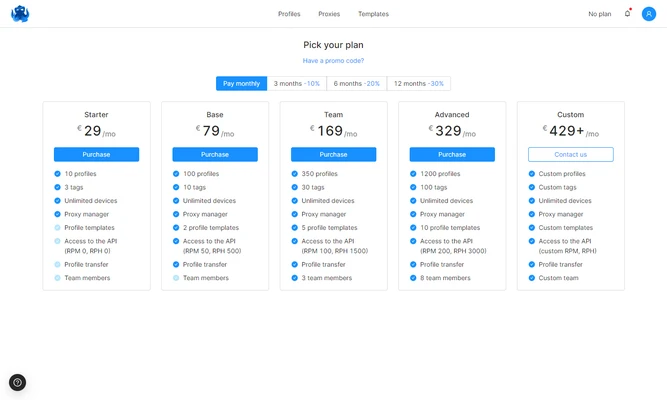
Subscription required for full functionality
-
Advanced configuration may take time to learn
-
Performance can vary depending on the number of active profiles
Conclusion
Octo Browser is a specialized multi-account browser that provides isolated browser profiles, fingerprint management, proxy support, extensions, team collaboration, and API automation. It is best suited to users who regularly need to manage multiple independent browser environments rather than those looking for a conventional everyday web browser.