


Proton VPN is a privacy-focused VPN service that encrypts internet traffic and routes it through VPN servers to help protect your online activity. Developed by Proton and based in Switzerland, it offers a free plan as well as paid subscriptions with additional server locations and features.
Key Features
-
VPN Encryption: Encrypts network traffic to protect data when using public or untrusted networks.
-
No-Logs Policy: Designed not to retain browsing activity logs.
-
Secure Core: Routes traffic through specially secured servers before connecting to the destination for an additional layer of privacy.
-
Kill Switch: Blocks network traffic if the VPN connection unexpectedly drops.
-
Global Servers: Provides servers in multiple countries, with more locations available on paid plans.
-
High-Speed Connections: Supports fast connections suitable for browsing, streaming, downloads, and other everyday activities.
-
Open-Source Apps: Proton VPN applications are open source, allowing their code to be independently reviewed.
-
P2P Support: Supports peer-to-peer traffic on compatible servers.
-
Cross-Platform Support: Available for Windows, macOS, Linux, Android, and iOS.
-
Ad and Tracker Blocking: Paid plans include additional privacy and protection features through Proton's NetShield technology.
User Interface
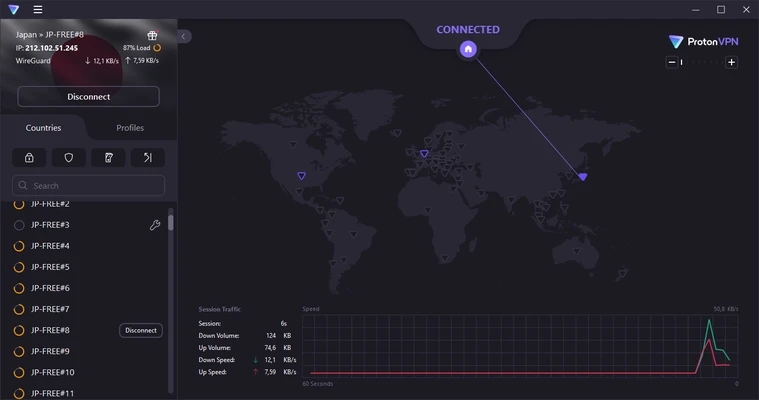
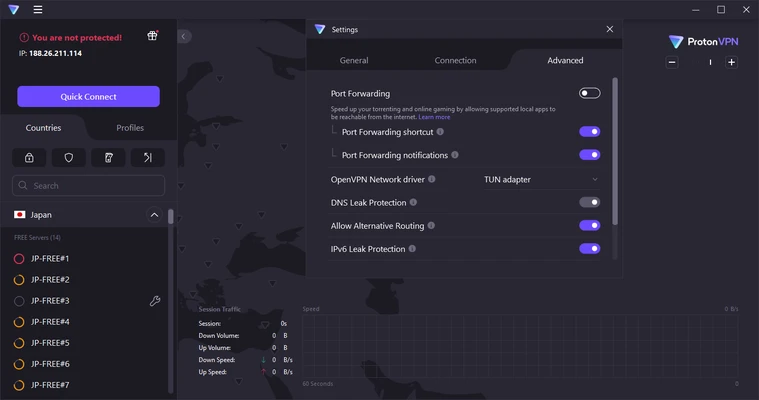
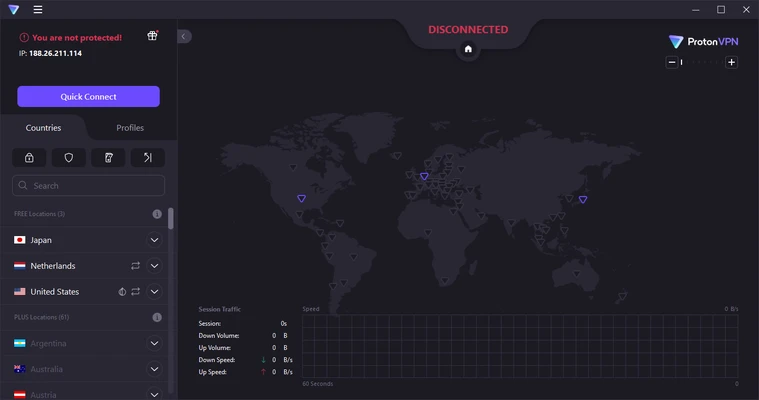
The Windows application uses a clean interface centered around a world map, server list, and connection controls. Users can select a specific server or use Quick Connect to establish a connection automatically. Advanced settings provide access to features such as the kill switch, Secure Core, and connection options without making the basic workflow complicated.
Installation and Setup
Install the Proton VPN application on Windows and sign in with a Proton account. After installation, open the application and select a server or use Quick Connect.
The free plan can be used without purchasing a subscription, although server locations and some features are limited compared with paid plans.
How to Use
-
Launch Proton VPN and sign in.
-
Use Quick Connect to automatically select a suitable server, or choose a location manually.
-
Click Connect to establish the VPN connection.
-
Confirm that the application shows an active VPN connection.
-
Enable features such as Kill Switch or Secure Core when needed.
-
Click Disconnect when you no longer want to use the VPN.
Connection speed and availability can vary depending on the selected server, network conditions, and subscription plan.
System Requirements
-
Windows 7 or later
-
Compatible 32-bit or 64-bit Windows system
-
Internet connection
-
Proton account required
Pros
-
Strong privacy and security focus
-
Free plan available
-
No-logs approach
-
Secure Core and Kill Switch
-
Open-source applications
-
Supports multiple platforms
-
P2P support
-
Clean and easy-to-use interface
Cons
-
Free plan has limited server locations
-
Some advanced features require a paid plan
-
VPN connections can reduce network speed depending on the server and connection
-
The large number of settings may be unnecessary for casual users
Conclusion
Proton VPN is a solid choice for users who want a privacy-focused VPN with a capable free plan and a straightforward Windows application. Its encryption, no-logs approach, Kill Switch, Secure Core, and open-source apps make it suitable for everyday browsing and users with stronger privacy requirements. Paid plans provide additional server locations and advanced features for users who need more flexibility.