


Seed4.Me VPN is a virtual private network application designed to protect your internet connection, hide your real IP address, and provide access to websites and online services that may be restricted in your region. It offers a simple way to establish an encrypted VPN connection without complicated configuration.
The application is available for Windows, macOS, Android, iPhone, and iPad, with servers in multiple countries and regions. It is suitable for users who want to improve their online privacy, secure internet traffic, or connect through different virtual locations.
Key Features
IP Address Protection: Hides your real IP address and replaces it with the IP address of the selected VPN server.
Encrypted Internet Traffic: Encrypts network traffic to help protect data from unauthorized access when using public or untrusted networks.
Multiple Server Locations: Provides VPN locations across countries and regions including the United States, United Kingdom, Canada, Germany, France, Singapore, Hong Kong, Japan, South Korea, Taiwan, and others.
Website Access: Allows users to connect through different locations to access websites and online services that may be unavailable in their current region.
Automatic VPN Connection: Can establish a VPN connection automatically before internet traffic is transmitted.
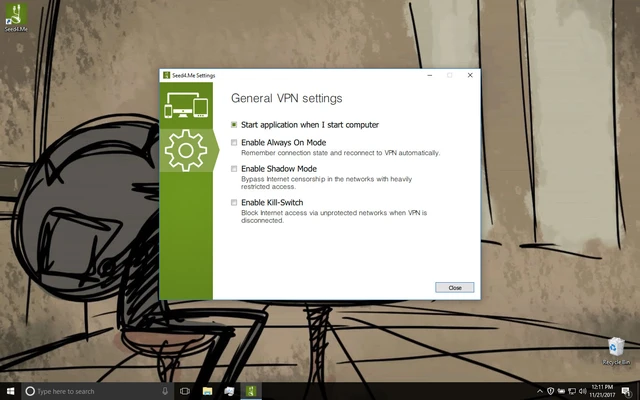
Shadow Mode: Provides an additional connection mode designed for networks where standard VPN connections may be restricted.
Unlimited Traffic: Paid plans provide unmetered VPN traffic without a fixed monthly data allowance.
Multi-Platform Support: Works across Windows, macOS, Android, iOS, and iPadOS.
Simple Connection Process: Users can select a location and establish a VPN connection with only a few clicks.
User Interface
Seed4.Me VPN uses a simple and straightforward interface designed around the main connection function.
The application displays the current connection status and provides access to available server locations. Users can select a location and click the Connect button to establish a VPN connection.
The minimal interface makes the software easy to operate for users who do not want to deal with complicated VPN configuration options.
Installation and Setup
Download the appropriate version for your operating system and run the installer.
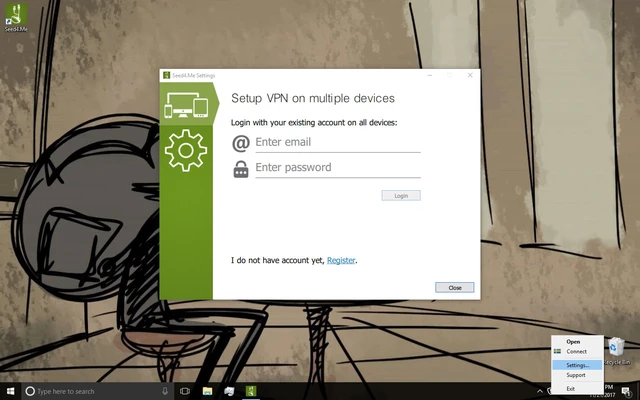
After installation, launch Seed4.Me VPN and sign in if required. Select a VPN location from the available server list and click Connect.
Once the connection is established, the application will indicate the active VPN status. Users can disconnect at any time and return to their normal internet connection.
How to Use
Launch the Application: Open Seed4.Me VPN after installation.
Choose a Location: Select the country or region you want to connect through.
Connect to the VPN: Click the Connect button to establish the encrypted connection.
Browse the Internet: Once connected, your internet traffic will be routed through the selected VPN server.
Change Locations: Disconnect from the current server and select another location whenever necessary.
Disconnect: Click Disconnect when you no longer need the VPN connection.
FAQ
Is Seed4.Me VPN free?
Seed4.Me VPN offers both free and paid options. The free version has limitations on available locations and usage, while paid plans provide broader access and additional features.
How many devices can I use with Seed4.Me VPN?
According to the available plan information, paid subscriptions support use across multiple devices.
Can Seed4.Me VPN hide my IP address?
Yes. When connected to a VPN server, your public IP address is replaced with the address associated with the selected VPN location.
Does Seed4.Me VPN support multiple platforms?
Yes. It is available for Windows, macOS, Android, iPhone, and iPad.
Can Seed4.Me VPN access region-restricted websites?
A VPN can change the apparent location of your internet connection, which may allow access to some region-restricted websites and services. Availability can vary depending on the service being accessed.
Does Seed4.Me VPN keep logs?
The service states that it does not keep logs on its VPN nodes. Users concerned about privacy should review the provider's current privacy policy for the latest details.
Alternatives
NordVPN: A widely used VPN service offering a large server network and a broad range of security features.
ExpressVPN: A premium VPN service focused on connection speed, privacy, and ease of use.
CyberGhost VPN: A user-friendly VPN with a large selection of server locations and dedicated connection options.
Surfshark VPN: A VPN service known for its broad device support and competitive pricing.
Pricing
Free Plan: Limited locations and monthly usage.
Monthly Plan: Approximately $4.99 per month.
1-Year Plan: Approximately $36.99 per year.
Paid plans may include multiple device support, access to additional VPN locations, unmetered traffic, and technical support.
Pricing and plan features may change over time, so users should check the current offering before purchasing.
System Requirements
-
Operating System: Windows 10 or later
-
Internet Connection: Required
-
Storage: Sufficient space for application installation
-
Other: An active VPN account may be required depending on the selected plan
Pros
-
Simple and easy-to-use interface
-
Multiple VPN locations
-
IP address masking
-
Encrypted internet traffic
-
Supports multiple platforms
-
Unlimited traffic on paid plans
-
Suitable for beginners
Cons
-
Free plan has usage and location limitations
-
Connection speeds can vary depending on the server
-
Fewer advanced configuration options than some competing VPN services
-
Availability of specific locations and services may change
Conclusion
Seed4.Me VPN provides a straightforward way to protect internet traffic, hide your IP address, and connect through different virtual locations. Its simple interface and multi-platform support make it suitable for users who want basic VPN functionality without complicated configuration.
While it does not offer as many advanced controls as some premium VPN services, Seed4.Me VPN focuses on ease of use, multiple server locations, and accessible pricing. It is a practical option for users looking for a simple VPN solution for everyday browsing and network privacy.