SoftEther VPN Gate Client Plugin is a free, open-source plugin for SoftEther VPN Client that allows users to connect to volunteer-operated VPN Gate public relay servers around the world. It provides encrypted VPN connections and can help users access websites or services that may be restricted by their local network.
Key Features
-
Global VPN Servers – Connect to public VPN Gate relay servers in different countries.
-
Free to Use – No registration or subscription is required.
-
SSL-VPN Support – Uses SoftEther's SSL-VPN protocol for encrypted connections.
-
Multiple VPN Protocols – Supports SoftEther VPN, OpenVPN, L2TP/IPsec, and SSTP.
-
Firewall Compatibility – SSL-VPN can work through many NAT environments and restrictive firewalls.
-
Server Information – View available servers, locations, latency, speed, and uptime before connecting.
-
Open Source – Based on the open-source SoftEther VPN project.
-
IPv4/IPv6 Support – Supports modern dual-stack network environments.
User Interface
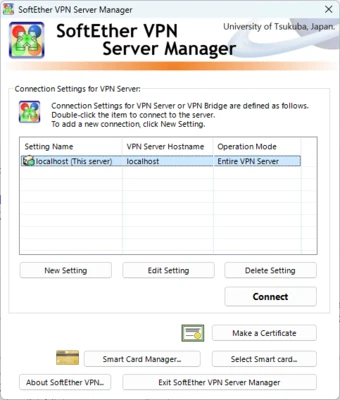
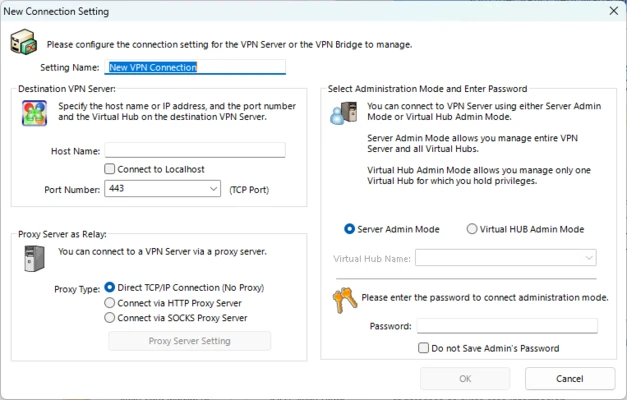
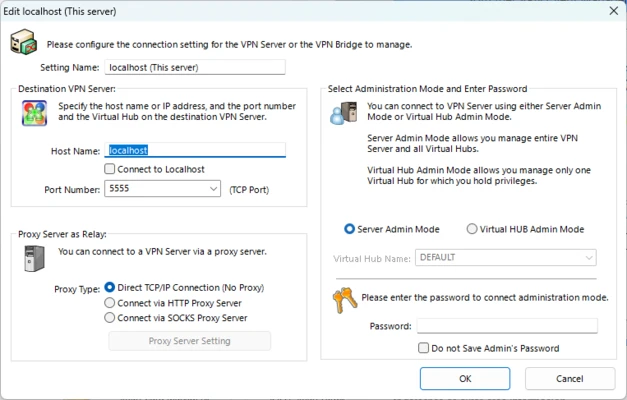
The plugin integrates with the SoftEther VPN Client Manager rather than functioning as a completely separate VPN application. The VPN Gate server list displays available public relay servers along with information such as country, connection speed, latency, and uptime.
The interface is functional and relatively easy to understand, although the large number of available servers can make choosing a suitable connection somewhat time-consuming.
Installation and Setup
-
Install SoftEther VPN Client on your Windows PC.
-
Install the VPN Gate Client Plugin.
-
Open SoftEther VPN Client Manager.
-
Double-click VPN Gate Public VPN Relay Servers.
-
Select a server from the available list.
-
Click Connect to the VPN Server and accept the connection prompts.
The plugin does not require a separate user account.
How to Use
After connecting to a VPN Gate server, your Internet traffic is routed through that server. Choose a server based on its location, latency, speed, and current availability.
Because VPN Gate servers are operated by volunteers, server availability and performance can change frequently. Disconnect from the VPN when it is no longer needed.
System Requirements
-
Operating System: Windows 7, 8, 10, or 11
-
Processor: 1 GHz or higher
-
Memory: 512 MB RAM or more
-
Storage: Approximately 100 MB of free space
-
Internet: Required for VPN connections
Pros
-
Free and open-source
-
No registration required
-
Large network of volunteer-operated servers
-
Supports multiple VPN protocols
-
Useful for accessing restricted networks and websites
-
Server speed and availability can be checked before connecting
Cons
-
Server performance varies considerably
-
Volunteer-operated servers may become unavailable without notice
-
Connection speeds can be lower than commercial VPN services
-
Not ideal for handling highly sensitive information on unknown public servers
-
Primarily intended for Windows through the SoftEther VPN Client
Conclusion
SoftEther VPN Gate Client Plugin is a practical free VPN solution for Windows users who need access to public VPN relay servers without registering for a commercial VPN service. Its large volunteer network and support for multiple VPN protocols make it useful for bypassing network restrictions and changing the apparent network location.
However, server quality and availability depend on individual volunteers, so it is better suited to general browsing and network access than situations requiring a dedicated commercial VPN service with consistent performance and controlled infrastructure.