Go to Windows platform Display platforms icon
Go to Windows platform Go to Mac platform Go to Android platform
SRC Repair icon

SRC Repair

48.0.1
EasyCoding Team
0
2.59 MB size

A tool to boost games that use the Source engine

SRC Repair is a free and open-source software that allows you to adjust and improve both the appearance and performance of many of the video games that use Valve's Source engine. Among those that use this engine are some of the best-known games in history, such as Half-Life 2, Portal, Team Fortress 2, or Counter-Strike: Source. However, the program also supports mods and other games such as Black Mesa, Vampire: The Masquerade – Bloodlines, Zeno Clash, or Garry's Mod.

Very easy to use

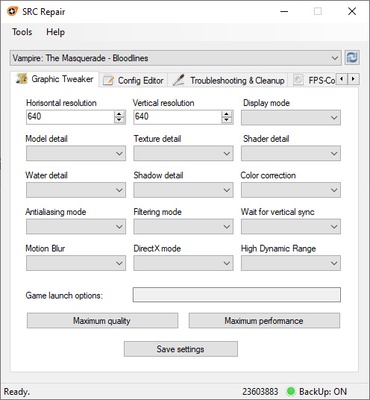
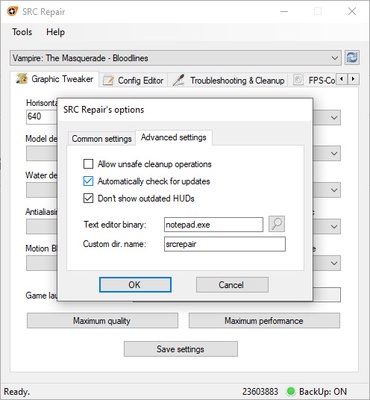
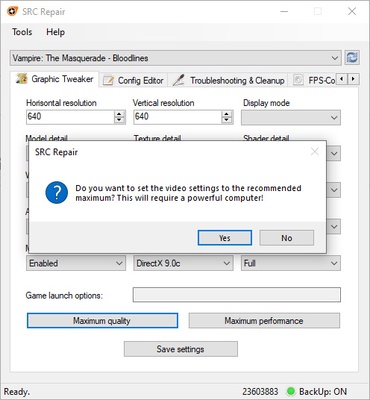
The only requirement to use SRC Repair is that the game you want to modify is installed and has been run at least once. After this, you can open the program and select the game from the list. The first thing you'll see when loading a game is the Graphic Tweaker tab, where you can adjust many graphics settings that aren't available by default in the game. For example, you can enter the exact resolution you want to play with, allowing you to force 2K or 4K resolutions in any video game that uses the Source engine.

Much more than boosting the graphics

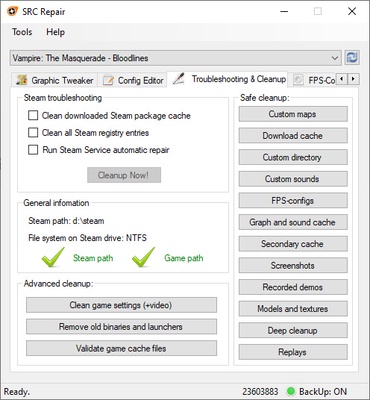
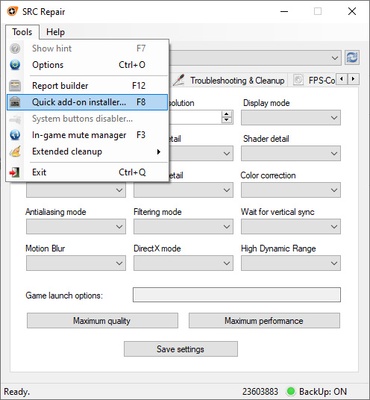
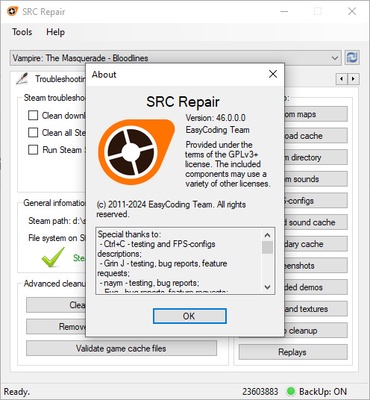
Although the most appealing options might be those that allow you to adjust the graphics, SRC Repair has many other tools. In the Troubleshooting & Cleanup tab, you'll find a lot of features specially geared towards solving any issues you may have with a game, which is common in older titles. You can clear the Steam cache, remove outdated binaries, or validate downloaded files with a single click.

Enhanced gaming experience

Download SRC Repair if you usually play any of Valve's most famous games, such as those mentioned at the start. On the app's official website, you can find a comprehensive list of all the compatible video games whose appearance and performance you can easily improve with just a few clicks.

Information about SRC Repair

License Free
Op. System Windows
Category Games
Language English 47 more
Author EasyCoding Team
permission icon Permissions Not applicable
Date 2026-06-02
Size 2.59 MB
File type EXE

Apps recommended for you

Retro Arch icon
One emulator to emulate them all
DuckStation icon
An excellent PSX emulator for Windows
Google Play Games on PC Developer Emulator icon
Google's developer-focused emulator for Windows
Ankama Launcher 3.15.14.20606 icon
A portal to the world of Ankama video games and animated movies
Bingo Las Vegas icon
DESOF Software
KytyPS5 2026-10-23 icon
Play PlayStation 5 games on PC with this PS5 emulator
Commander Wars icon
An open source Advance Wars clone for Windows
BlueStacks 10.42.265.1001 icon
Play and Run Android Mobile Games and Apps on Windows PC
NVIDIA GeForce NOW 2.0.90.138 icon
NVIDIA's cloud gaming service
BlueStacks 5.22.290.1031 icon
Emulate any Android app on your PC
Vita3K 0.2.1.4317 icon
The best emulator for PS Vita (PlayStation Vita)
Rockstar Games Launcher 1.0.110.3150 icon
The official Rockstar Games client
Ankama Launcher 3.15.14.20606 icon
A portal to the world of Ankama video games and animated movies
Xbox Game Bar 7.326.11042.0 icon
The best Windows tool for gamers
Yandere Simulator 2026-11-01 icon
Stealth and murder in a Japanese high school
KytyPS5 2026-11-02 icon
Play PlayStation 5 games on PC with this PS5 emulator
RPCS3 0.0.42-19921 icon
Open-source PlayStation 3 Emulator, enjoy PS3 games on your PC!
Summertime Saga icon
A fun and spicy adventure
Retro Arch icon
One emulator to emulate them all
Commander Wars icon
An open source Advance Wars clone for Windows
PPSSPP icon
PPSSPP for Windows is a PSP emulator that allows users to play PlayStation Portable games on their PC with enhanced graphics.
VTM: Bloodlines Unofficial Patch icon
Best way to play Vampire: the Masquerade - Bloodlines
Sudachi icon
An excellent Swtich emulator for Windows
Cxbx-Reloaded icon
A powerful Xbox emulator for Windows