Telegram is a fast, secure, and free messaging app that lets you send messages, photos, videos, documents, and other files across Windows, macOS, Android, iPhone, and other supported devices. Your chats and media sync automatically across devices, allowing you to continue conversations wherever you are.
Telegram for PC provides access to your Telegram account from a desktop computer, with support for private chats, group conversations, channels, voice calls, video calls, file sharing, and cloud-based message synchronization.
Key Features
Fast Messaging – Send text messages, voice messages, photos, videos, documents, and other files quickly.
Groups and Channels – Join or create large groups and channels for communities, teams, and content distribution.
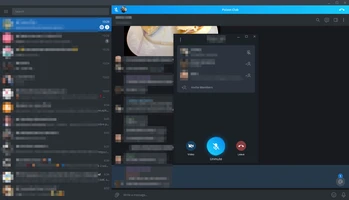
Voice and Video Calls – Make voice and video calls with individual contacts and participate in group conversations.
Cross-Device Sync – Keep your messages, media, and conversations synchronized across phones, tablets, and computers.
File Sharing – Send documents, archives, music, videos, and other supported file types.
Privacy and Security – Includes two-step verification, passcode locks, disappearing messages, and encrypted communications.
Cloud Storage – Messages and shared media are stored in the cloud, making them accessible from multiple devices.
Username Support – Find and contact users through usernames without necessarily sharing a phone number.
Customizable Interface – Personalize notifications, themes, chat appearance, and other settings.
What's New
Recent Telegram releases have introduced improvements to navigation, AI-powered features, collectible gifts, Stories, group calls, passkeys, profile customization, and the overall desktop and mobile interface.
User Interface
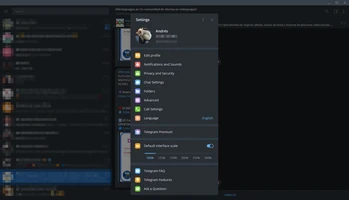
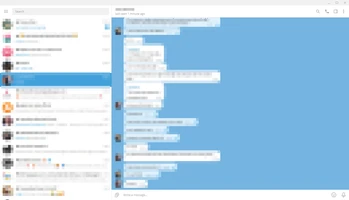
Telegram Desktop features a clean and straightforward interface centered around the chat list and conversation window.
The main interface provides quick access to private chats, groups, channels, contacts, settings, and shared media. Users can also search conversations, manage notifications, customize the appearance, and access files directly from the desktop application.
Installation and Setup
- Download Telegram for Windows from a trusted software download source.
- Run the installer and follow the on-screen instructions.
- Launch Telegram Desktop after installation.
- Sign in using your existing Telegram account.
- Follow the verification instructions to complete the login process.
- Your existing chats and media will automatically synchronize.
How to Use
Start a Conversation – Select a contact or search for a username to begin chatting.
Send Files – Attach photos, videos, documents, music, or other supported files from your computer.
Create or Join Groups – Use groups for private communities, teams, or larger discussions.
Follow Channels – Subscribe to channels to receive posts and updates.
Make Calls – Open a conversation and use the available voice or video calling options.
Customize Settings – Adjust notifications, privacy, appearance, storage, and security settings.
Sync Across Devices – Sign in to the same account on your other devices to access your conversations and media.
FAQ
Is Telegram free to use?
Yes. Telegram is free to download and use. Some optional premium features may require a subscription.
Can I use Telegram on my PC without my phone?
You need a Telegram account and phone number for account registration, but after signing in, Telegram Desktop can be used independently while your account remains connected.
Does Telegram sync messages between devices?
Yes. Cloud-based chats and media are synchronized across supported devices using the same Telegram account.
Can I make voice and video calls on Telegram Desktop?
Yes. Telegram Desktop supports voice and video calls, including supported group calling features.
Can I send files with Telegram?
Yes. Telegram supports sharing documents, photos, videos, archives, music, and other types of files.
Does Telegram have group chats and channels?
Yes. Telegram supports both large group chats and broadcast channels, making it suitable for communities and organizations.
Is Telegram secure?
Telegram provides several security and privacy features, including encrypted communications, two-step verification, passcode locks, and Secret Chats. However, standard cloud chats are not the same as end-to-end encrypted Secret Chats, so users should choose the appropriate mode for sensitive conversations.
Alternatives
WhatsApp – Popular messaging platform with strong support for personal communication and group chats.
Signal – Privacy-focused messenger with end-to-end encryption.
Discord – Community-oriented communication platform with text, voice, and video features.
Slack – Designed primarily for workplace communication and team collaboration.
Pricing
Telegram is free to download and use.
Telegram Premium is an optional subscription that provides additional features, higher limits, and other enhancements.
System Requirements
- Operating System: Windows 7, 8, 10, 11
- Processor: 1 GHz or faster
- RAM: 1GB or more
- Storage: 100MB or more
- Internet Connection: Required
PROS
- Free to use
- Fast and lightweight
- Cross-platform synchronization
- Large groups and channels
- Supports extensive file sharing
- Voice and video calls
- Strong privacy and security features
- Cloud-based message synchronization
CONS
- Requires a phone number for account registration
- Some advanced features require Telegram Premium
- Standard cloud chats are not end-to-end encrypted by default
- The large number of features can take time for new users to learn
Conclusion
Telegram is a powerful and versatile messaging application for users who want fast communication, extensive file sharing, large communities, and seamless synchronization across multiple devices.
Its desktop client provides most of the essential features found on mobile, making it a practical choice for personal communication, communities, and team collaboration. With its large groups, channels, cloud synchronization, voice and video calls, and privacy features, Telegram remains one of the most capable messaging platforms available for Windows.
Note: A valid phone number is required to create a Telegram account.