

SharpEmu is a PlayStation 5 emulator developed from scratch in C#. It can execute real CPU instructions, load kernel modules, and process shader submissions from the console. Although it can run some games, SharpEmu is still in an early stage of development and currently serves primarily as a foundation for advancing PS5 emulation.
Zen 2-based CPU emulation
The PS5 uses an AMD Zen 2 processor with an x86-64 architecture. Unlike emulators for older consoles such as the PS3 and PS2, SharpEmu does not need to translate an entirely different CPU instruction set. Instead, much of the challenge lies in preparing the execution environment. The emulator analyzes a game's eboot.bin file and its included .elf modules, loads them into memory, and prepares the required registers and memory state before handing execution over to the PC's CPU.
System modules and kernel calls
PS5 games rely on system modules loaded through PRX and sys_module mechanisms, which provide shared functionality for audio, input, and thread management. SharpEmu loads these modules and progressively implements the kernel calls used by games, including parts of the Fiber scheduling API and AMPR exports for low-level resource management.
The PS5 communicates with its GPU through AGC, a low-level graphics library. SharpEmu must therefore intercept shader and resource submissions and translate them into instructions that a PC GPU can process. The emulator has already managed to process real shaders from some titles and send frames through sceVideoOut, the console's video output interface.
PlayGo and game metadata
PS5 games use PlayGo to manage which parts of a title are installed or downloaded first, allowing gameplay to begin before the entire installation is complete. SharpEmu reads PlayGo configuration data and basic game metadata, including the title and version. This information helps identify games and advance through the boot process to the CPU and kernel code required for emulation.
A modern emulator with few features
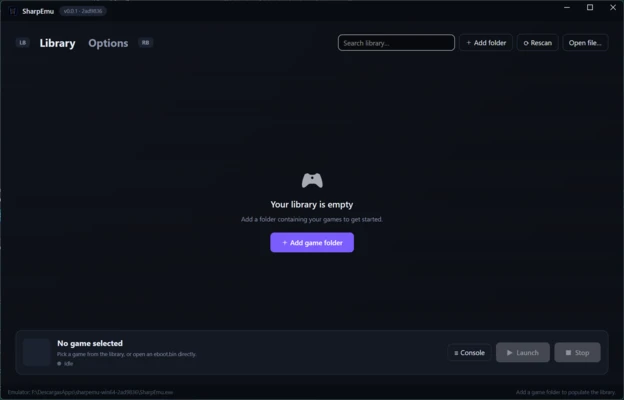
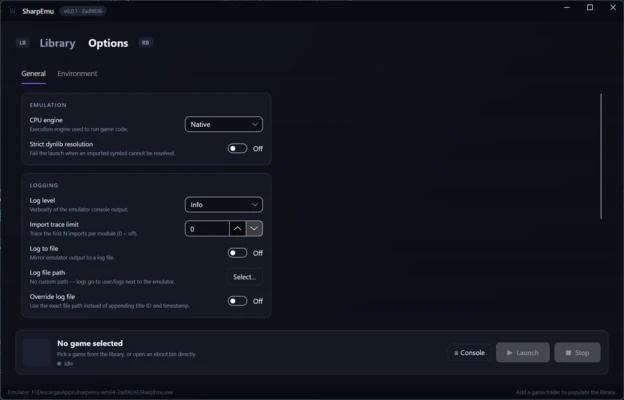
SharpEmu has a modern, straightforward interface. You simply specify the folder containing your game backups, and the emulator scans it to identify available titles. However, its current user-facing features are limited. It does not provide configurable controls or options for adjusting resolution and window size.
My experience with SharpEmu
The interface is more polished than those of some other experimental emulators, and adding a game folder allows SharpEmu to detect compatible titles without difficulty. However, getting a game to run is another matter. In testing, the game menu was unresponsive, and performance remained between 0 and 2 FPS, making gameplay impossible. SharpEmu has a promising technical foundation, but it is still far from being ready for everyday use.
What I liked most about SharpEmu and what could be improved
-
What I liked the most: the project's technical transparency. Its documentation clearly explains which parts of the PS5 system are already implemented and which still need work.
-
What I would improve: GPU support and kernel implementation remain incomplete, preventing games from reaching a consistently playable state.