Krita is a free and open-source digital painting and illustration software for Windows designed for artists, illustrators, concept designers, and animation creators.
Developed by the KDE community, Krita provides professional-level tools for digital painting, sketching, comics, texture creation, and 2D animation.
Unlike many commercial art applications, Krita offers a complete creative workflow with advanced brush engines, layer management, color tools, animation features, and extensive customization options — all available for free.
Features
Professional Brush Engine
Krita includes a powerful brush system with hundreds of customizable brushes for different painting styles.
Supported brush types include:
- Pixel brushes
- Ink brushes
- Texture brushes
- Smudge brushes
- Pattern brushes
Artists can adjust brush behavior, pressure sensitivity, opacity, and other parameters.
Advanced Layer Management
Krita supports flexible layer workflows, including:
- Raster layers
- Vector layers
- Group layers
- Layer masks
- Adjustment layers
- Blending modes
These tools allow users to create complex artwork with non-destructive editing.
Digital Painting Tools
The software provides professional drawing features such as:
- Color selector
- Drawing assistants
- Brush stabilizers
- Perspective tools
- Transform tools
- Custom palettes
It is suitable for illustrations, concept art, comics, and matte painting.
2D Animation Support
Krita includes animation tools for creating frame-by-frame artwork.
Features include:
- Animation timeline
- Onion skinning
- Keyframe editing
- Video export support
Artists can create simple 2D animations directly inside the application.
Color Management
Krita supports professional color workflows with:
- ICC color profiles
- CMYK support
- HDR workflows
- Advanced color selectors
This makes it suitable for professional illustration and print projects.
Customizable Interface
The workspace can be adjusted according to personal workflow.
Users can customize:
- Dockers
- Toolbars
- Panels
- Keyboard shortcuts
- Themes
Plugins and Resources
Krita supports additional resources including:
- Brush packs
- Texture packs
- Templates
- Python plugins
- Custom palettes
The active community provides many free resources for artists.
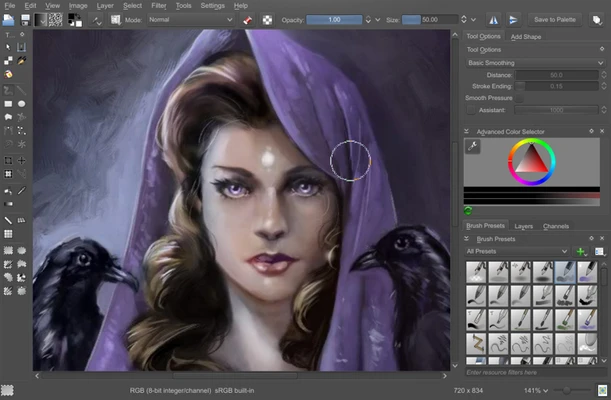
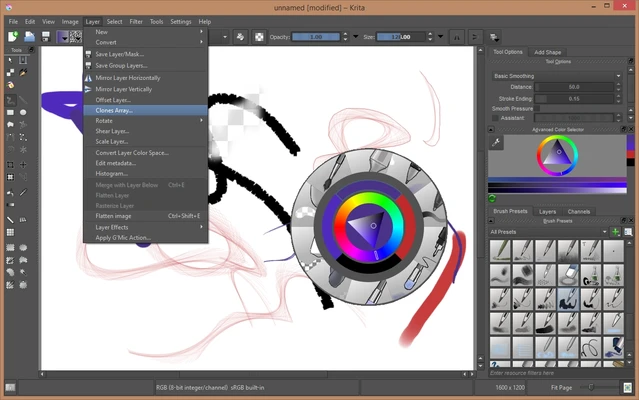
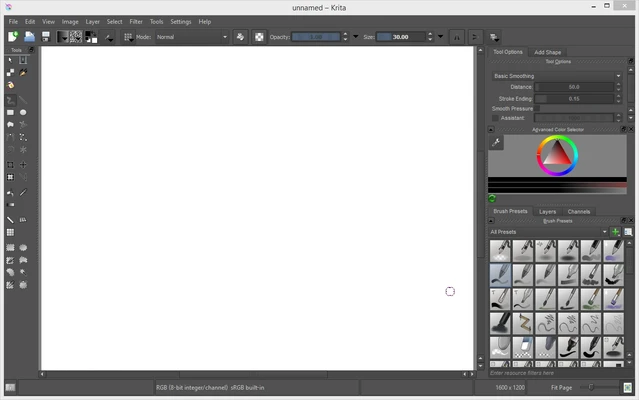
User Interface
Krita features a clean and flexible interface designed around the artist workflow.
The main canvas is surrounded by customizable tool panels, allowing users to arrange the workspace according to their preferences.
Features such as the pop-up palette and brush presets provide quick access to frequently used tools.
What's New
Recent versions of Krita include improvements such as:
- Better animation playback and export
- Improved text tools
- Enhanced brush engine performance
- Better PSD compatibility
- Improved WebP and JPEG-XL support
- Updated transformation and selection tools
- Interface and stability improvements
FAQ
Is Krita free?
Yes. Krita is completely free and open-source software released under the GNU GPL license.
Can Krita replace Photoshop?
Krita is an excellent alternative for digital painting and illustration. However, Photoshop still offers more advanced photo editing and commercial workflow features.
Does Krita support PSD files?
Yes. Krita can open and save Photoshop PSD files, although some advanced Photoshop effects may not transfer perfectly.
Does Krita support drawing tablets?
Yes. Krita works with popular graphics tablets, including Wacom and other pen tablets.
Can Krita create animations?
Yes. Krita includes timeline-based 2D animation tools for frame-by-frame animation.
Alternatives
Adobe Photoshop – Professional image editing and digital art software.
Clip Studio Paint – Popular illustration and manga creation software.
GIMP – Free open-source image editing application.
Inkscape – Free vector graphics design software.
Pricing
Krita is completely FREE to download and use.
Users can optionally purchase the Microsoft Store or Steam versions to support the development team and receive automatic updates.
System Requirements
Minimum Requirements
- Operating System:
- Windows 11
- Windows 10
- Windows 8
- Windows 7
- Processor: Dual-core 64-bit CPU
- RAM: 4GB
- Graphics: OpenGL 3.0 compatible GPU
- Storage: Around 300MB free space
Recommended Requirements
- RAM: 8GB or more
- Graphics tablet recommended for professional drawing
Pros
- Completely free and open-source
- Professional brush engine
- Powerful layer management
- Animation support
- Cross-platform support
- Large community resources
Cons
- Can slow down with very large projects
- Not as strong as Photoshop for advanced photo editing
- Learning curve for beginners
Conclusion
Krita is one of the best free digital painting and illustration programs available for Windows.
With professional brushes, powerful layer tools, animation support, and extensive customization options, Krita provides artists with a complete creative environment without requiring a paid subscription.
While it is mainly focused on painting and illustration rather than photo editing, Krita remains an excellent choice for digital artists, comic creators, and anyone looking for a powerful Photoshop alternative.