

ImageGlass (64-bit) is a free and open-source image viewer for Windows designed to provide a fast, lightweight, and simple way to browse images.
It supports more than 80 image formats, including PNG, JPEG, BMP, GIF, TIFF, SVG, WEBP, HEIC, and RAW files. With its clean interface, customizable themes, and smooth performance, ImageGlass is a great alternative to the default Windows image viewer.
Features
Wide Format Support
Supports over 80 image formats, including popular image files and professional RAW formats.
Lightweight Performance
A fast and minimal image viewer with low resource usage, ideal for everyday image browsing.
Customizable Interface
Choose different themes, layouts, and interface settings to match your workflow.
Image Conversion
Convert images between common formats such as JPG, PNG, BMP, and TIFF.
Slideshow Mode
View image folders as slideshows with adjustable playback settings.
Zoom and Rotation
Quickly zoom, rotate, flip, and navigate images.
Clipboard Support
Copy, paste, and drag images easily between applications.
Extension Support
Extend functionality with plugins, scripts, and additional customization options.
Multiple Languages
Supports various languages with downloadable language packs.
User Interface
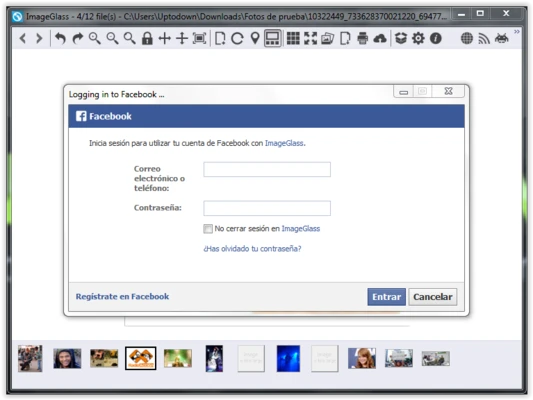
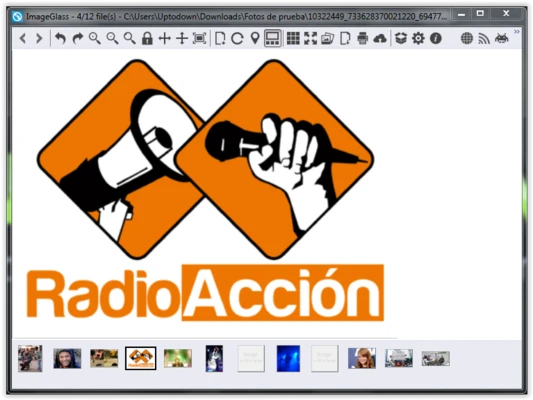
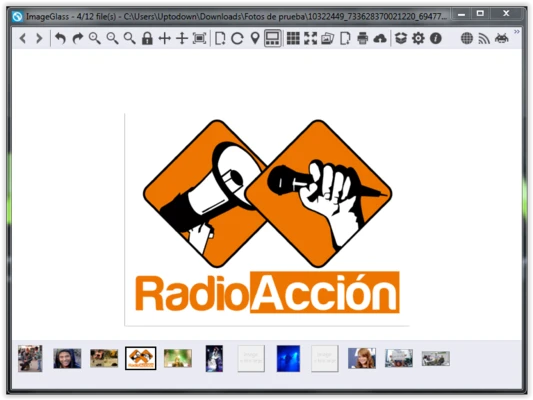
ImageGlass features a clean and simple interface focused on image viewing.
The main window displays the image with a compact toolbar for common actions such as zooming, rotating, converting, and slideshow playback. Users can customize themes and layout options according to their preferences.
Installation and Setup
- Download the ImageGlass installer.
- Run the setup wizard and complete installation.
- Select ImageGlass as the default image viewer if needed.
- Customize themes and settings after installation.
The installation process is lightweight and does not include unnecessary bundled software.
How to Use
Open Images
Drag and drop images into ImageGlass or open files through the File menu.
Browse Images
Use keyboard shortcuts or navigation buttons to move between images in a folder.
Adjust Images
Zoom, rotate, flip, or convert images using the toolbar.
Customize Appearance
Change themes and interface settings from the preferences menu.
View Information
Check image properties and metadata through the image information panel.
FAQ
Can ImageGlass open RAW images?
Yes. It supports many RAW formats when the required codecs are installed.
Does ImageGlass include image editing tools?
No. ImageGlass focuses on viewing, basic conversion, and image management rather than editing.
Can ImageGlass become the default Windows image viewer?
Yes. Users can set it as the default viewer during installation or from Windows settings.
Does ImageGlass support GIF and WEBP animations?
Yes. Animated GIF and WEBP files can be viewed directly.
Is ImageGlass available for macOS or Linux?
No. ImageGlass is currently designed for Windows systems only.
Alternatives
IrfanView – A lightweight image viewer with additional editing features.
XnView MP – Supports many formats and advanced batch processing tools.
FastStone Image Viewer – Combines image viewing, editing, and slideshow features.
Microsoft Photos – The default Windows image viewer with basic image management features.
Pricing
ImageGlass is 100% FREE and open-source. It is released under the GNU General Public License (GPL).
System Requirements
- OS: Windows 10 / Windows 11 (64-bit)
- RAM: 2GB or more
- CPU: 1GHz processor or faster
- Storage: About 50MB free space
- Display: 1024×768 resolution or higher
PROS
- Free and open-source
- Supports 80+ image formats
- Fast and lightweight
- Clean interface
- No ads or bundled software
- Customizable themes
CONS
- No advanced image editing features
- Windows only
- Some RAW formats require additional codecs
Conclusion
ImageGlass (64-bit) is a lightweight and powerful image viewer for Windows users who need fast performance and broad format support.
With its clean interface, open-source design, and customization options, it provides a simple alternative to the default Windows Photos app. While it does not include professional editing tools, it is an excellent choice for users who want a fast and reliable image browsing experience.