Go to Windows platform Display platforms icon
Go to Windows platform Go to Mac platform Go to Android platform
MEmu 9.5.5 icon

MEmu 9.5.5

9.5.5
Microvirt
5.0
673 MB size

Play Android games on Windows PC with keyboard, mouse and joystick

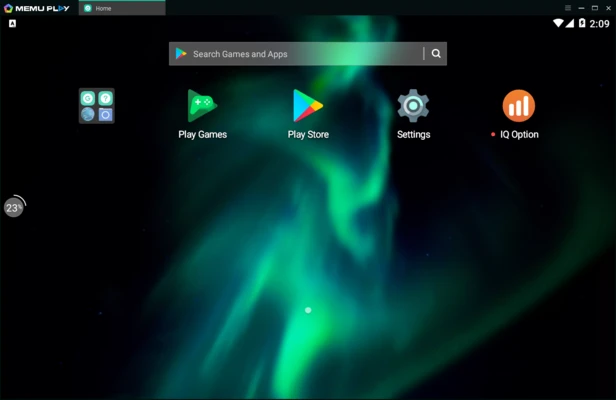
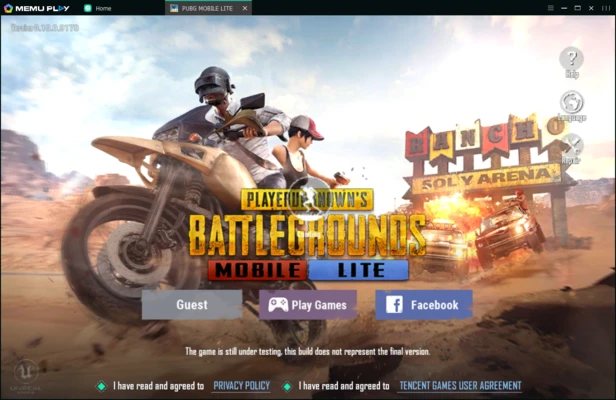
MEmu Play is a free Android emulator for Windows that lets you run Android apps and games on your PC. It delivers smooth performance, supports multiple Android instances, and offers customizable keyboard and gamepad controls, making it a popular choice for mobile gaming.

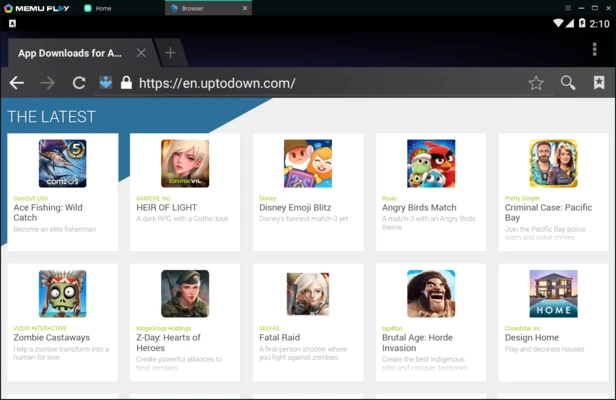
The emulator supports drag-and-drop APK installation, file sharing between Windows and Android, and hardware virtualization for improved performance.


Key Features

  • Run Android apps and games on Windows.
  • Customizable CPU, RAM, resolution, and device settings.
  • Keyboard, mouse, and gamepad mapping.
  • Multi-instance support for running multiple apps or accounts.
  • Fast APK installation via drag and drop.
  • GPS location simulation.
  • File sharing between Windows and Android.
  • Optional root mode.
  • Sensor simulation for supported apps and games.

Ideal For

  • Playing Android games on PC.
  • Testing Android applications.
  • Running multiple game accounts.
  • Using Android messaging and social apps with a keyboard.

Alternatives

  • BlueStacks
  • LDPlayer
  • NoxPlayer
  • GameLoop

Recommended System Requirements

  • Windows 11 or Windows 10 (64-bit)
  • Intel or AMD processor with VT-x/AMD-V enabled
  • 8 GB RAM or more
  • SSD with at least 10 GB free space
  • DirectX 11 and OpenGL 4.5 compatible graphics
  • Broadband internet connection

Pros

  • Fast performance
  • Excellent game compatibility
  • Multi-instance support
  • Custom key mapping
  • Easy APK installation

Cons

  • High hardware requirements for best performance
  • Occasional stability issues
  • Windows only
  • May include optional bundled software during installation

Conclusion

MEmu Play is a reliable Android emulator for users who want to play mobile games or run Android apps on Windows. Its strong gaming performance, flexible customization options, and multi-instance support make it a solid alternative to BlueStacks, LDPlayer, and NoxPlayer.

Information about MEmu 9.5.5

License Freeware
Op. System Windows
Category Games
Language English
Author Microvirt
permission icon Permissions Not applicable
Date 2026-07-05
Size 673 MB
File type Official Website

Apps recommended for you

HeidiSQL 12.21.0.7344 icon
MariaDB, MySQL, MSSQL and PostgreSQL made easy!
3DMark icon
Benchmark and test your PC performance with 3DMark for Windows, featuring advanced GPU, CPU, and gaming benchmark tools.
RPCS3 0.0.41-19498 icon
Open-source PlayStation 3 Emulator, enjoy PS3 games on your PC!
DOSBox Staging icon
Modern continuation of the legendary MSDos emulator
MEmu 9.5.7 icon
Play Android games on Windows PC with keyboard, mouse and joystick
DuckStation icon
An excellent PSX emulator for Windows
PCSX-Redux icon
Modern and optimized PlayStation emulator
LabyMod 4.6.11 icon
The all-in-one modification for Minecraft to increase your ingame experience!
Candy Crush Saga 1.3370.2.0 icon
Enjoy Candy Crush on your Windows PC
Hytale 2026.09.21-909ac0c icon
Explore a procedurally generated fantasy world
Once Human 1.5.26.11 icon
Survive in an open world full of dangers
GOG Galaxy 2.1.10.56 icon
Install and update your games with GOG Galaxy for Windows PC Desktop
BlueStacks 10.42.265.1001 icon
Play and Run Android Mobile Games and Apps on Windows PC
MEmu 9.5.7 icon
Play Android games on Windows PC with keyboard, mouse and joystick
LaunchBox 14.0.1 icon
Emulate, Organize, and Beautify Your Game Collection!
RPCS3 0.0.42-19921 icon
Open-source PlayStation 3 Emulator, enjoy PS3 games on your PC!
Maximum Carnage icon
Take on one of Spider-Man's most feared enemies
WinDS PRO icon
Multi-platform emulators pack for PCs
LaunchBox icon
An elegant frontend for all your games
League of Legends icon
Enjoy this spectacular free online MOBA with stunning graphics
Unleashed Recompiled icon
PC port of Sonic Unleashed for Xbox 360
EmulationStation icon
A good looking front end for your classic emulators
RPCS3 0.0.42-19695 icon
Open-source PlayStation 3 Emulator, enjoy PS3 games on your PC!
Blitz icon
The ideal partner to play League of Legends